You post a new product. Within an hour there are forty comments, and half of them say the same thing: "price?", "link pls", "do you have it in M?". You answer the first ten. The rest wait until evening, and by then most of those people have scrolled on.
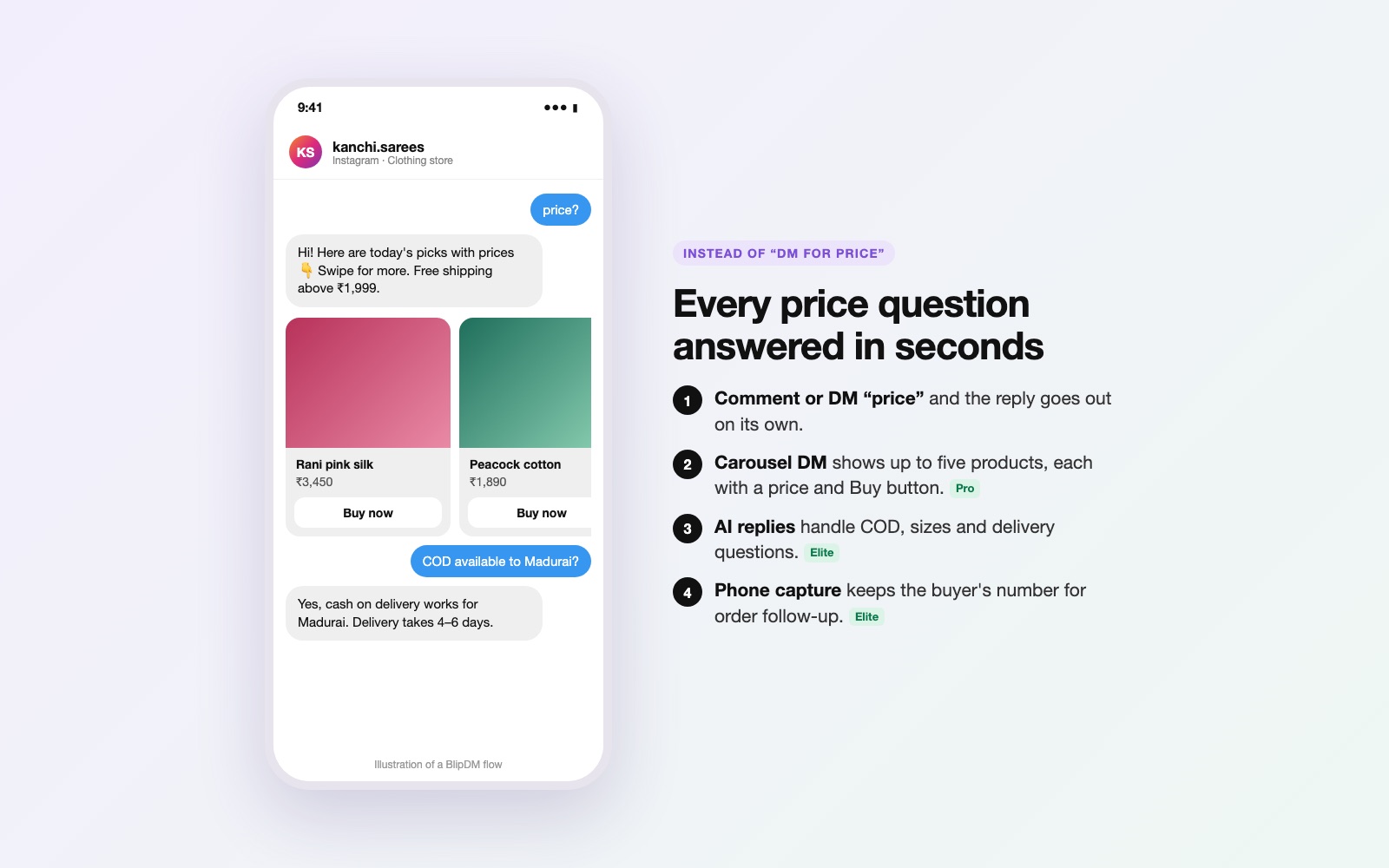
That gap between a question and an answer is where online stores lose the most sales on Instagram. DM automation closes it. Someone comments, and a few seconds later they have the price, the sizes and a button that opens the exact product in your store.
This article covers the DM moments that sell for an online store, what to send in each one, how to link straight to a Shopify product or cart with tracking, and where AI replies and a Link in Bio shop front fit in.
Key takeaways
Instagram DM automation for an online store is about speed and precision. Reply to every "price?" comment within seconds, and send a link to the exact product or variant, not your home page.
BlipDM has no Shopify integration, and it doesn't need one for this. The DM carries a link, and the link does the work: a product URL, a variant URL, or a Shopify cart permalink that adds the item and opens checkout. Add UTM tags so your store's analytics can show which sales came from DMs.
The moments worth automating are price, size and stock questions, comment-for-link drops, restock waitlists and common order questions. Each one is a reply to something the shopper did first, which is exactly what Meta's rules allow.
Contacts are unlimited on every BlipDM plan, so a busy month doesn't raise your bill. Free covers 500 DMs a month, Pro ($3 or ₹99) adds product carousels and Link in Bio, and Elite ($6 or ₹499) adds AI replies and email or phone capture for waitlists.
The DM moments that sell
Not every DM is a sales moment. These four are, and they repeat every week for most stores.
Price, size and stock questions
"How much?", "Is this available in L?" and "Back in stock?" are the clearest buying signals on Instagram. The person has already picked the product. They only need the answer and a way to buy.
Make PRICE, SIZE or the product name the keyword on each product post or Reel. The DM gives the price, the sizes in stock and a button to the product. If sizes sell out often, link to the product page rather than a single variant, so the shopper sees live stock.
Comment-for-link drops
For a launch or a limited drop, the caption says "Comment DROP and we'll send you the link". Everyone who comments gets the same DM at the same moment, so early fans don't miss out because they commented while you were packing orders.
Set the automation up before the drop goes live. On BlipDM's Pro and Elite plans, Next Post automation lets you attach the keyword and the DM to the post before it's published, so it starts replying from the first comment.
Restock waitlists
Here Meta's rules matter. You can't DM someone weeks later when an item is back. Automated messages can only go out within 24 hours of the person's last message, and a comment gets one private reply within 7 days.
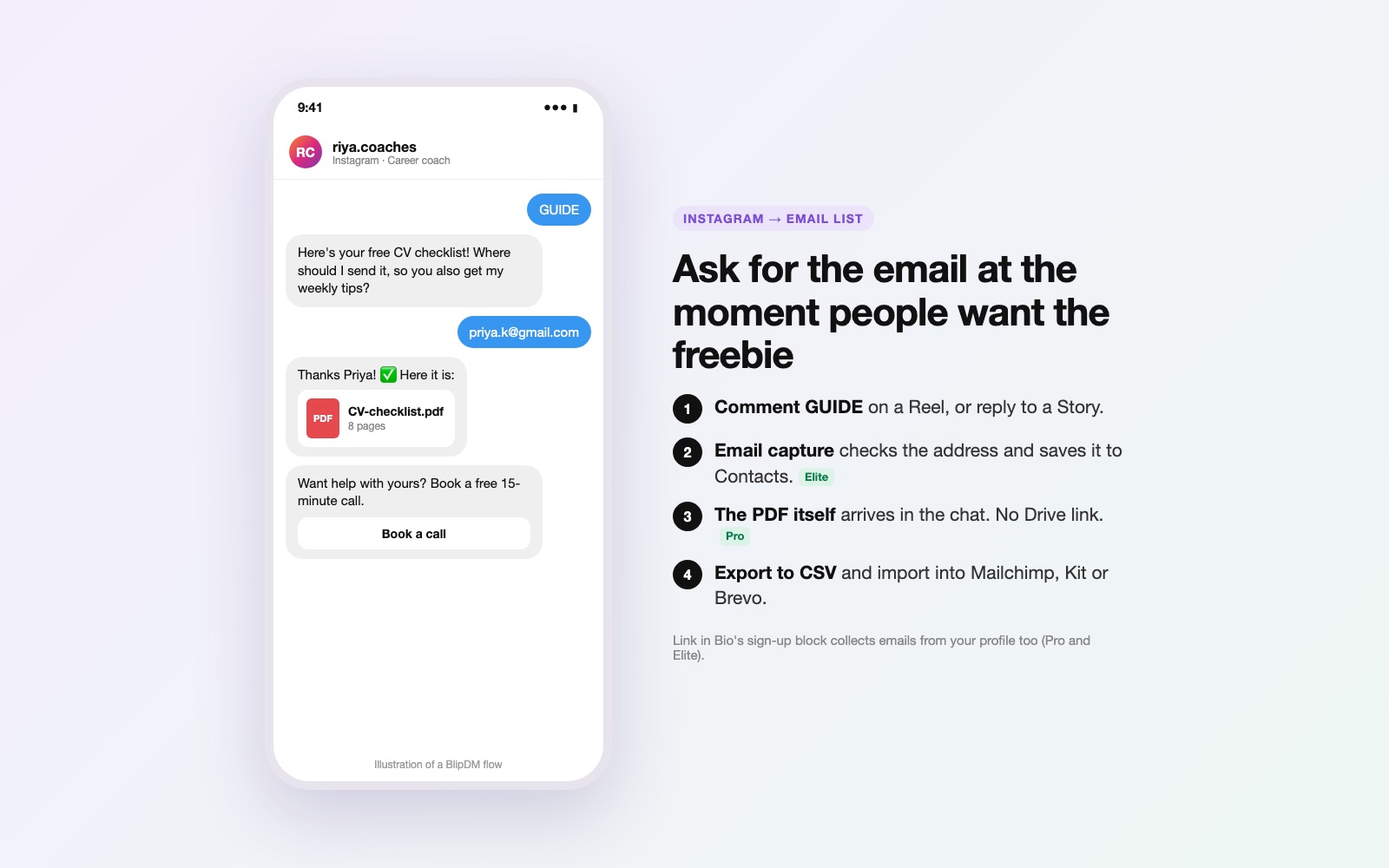
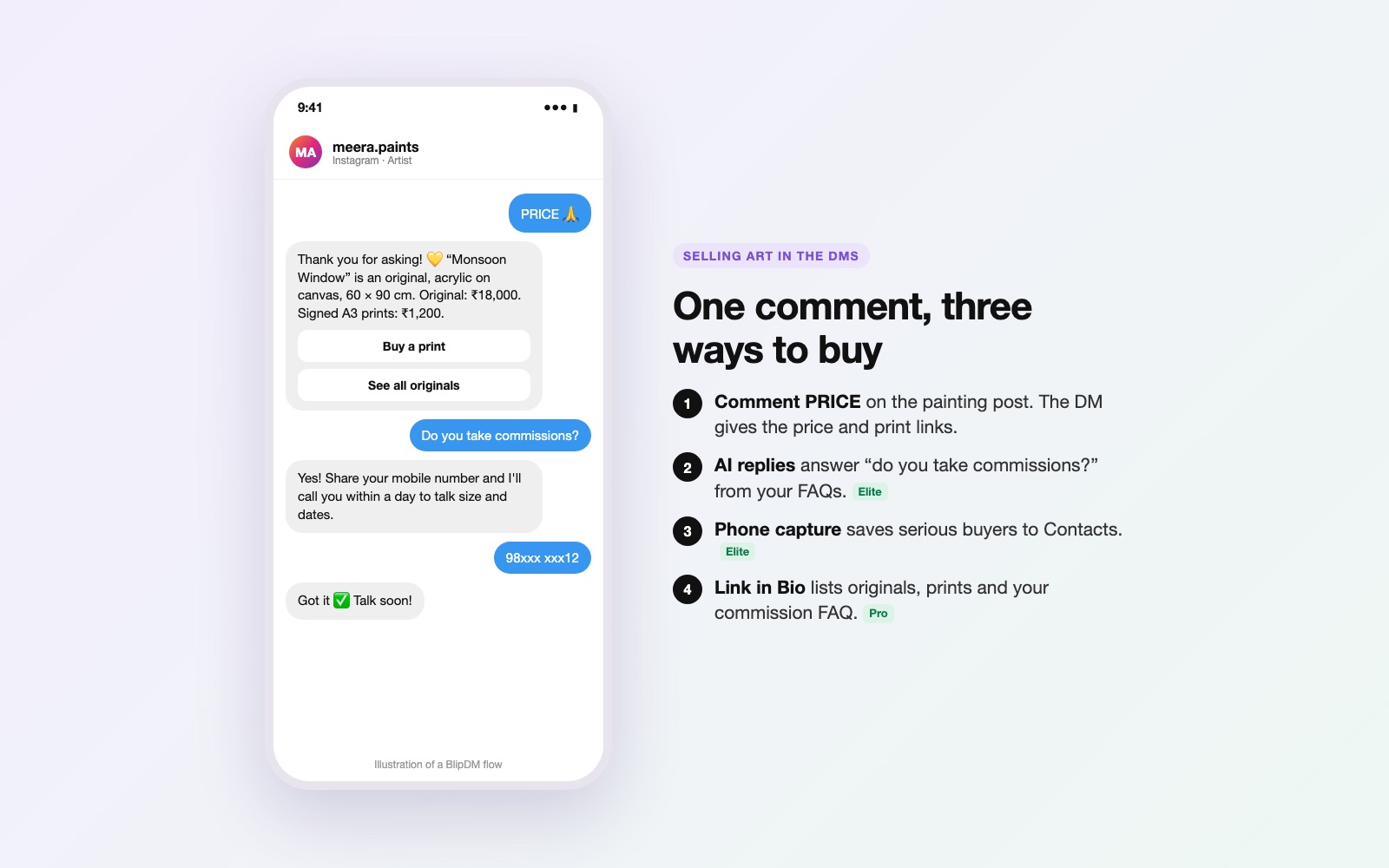
So a restock waitlist works in one of two ways. Either you collect an email address or phone number in the DM when they ask, and tell them by email or SMS when stock arrives. Or you announce the restock with a fresh post or Story and a keyword, and reply to everyone who comments. Most stores do both.
Order and delivery questions
"How long does delivery take?", "Do you ship to Pune?" and "Is COD available?" come in every day. These are best answered by a DM keyword in the inbox, or by AI replies (more on that below). Order-specific questions, such as "Where is my order #1042?", still need a person, because the DM tool can't see your store's orders.
What to send: product links, carousels and codes
A single product
For one product, a short message and one or two buttons is enough. Keep it under three lines.
Single product:
"Hi! The Linen Overshirt is ₹1,899 and comes in S to XL. Free delivery this week 📦 [Shop now] [Size chart]"
A range of products
When a post shows several items, such as a lookbook or a "five gifts under ₹999" Reel, send a carousel. Each card has its own image, title and button, and up to five cards fit in one DM. Carousels are on BlipDM's Pro and Elite plans. The walkthrough is in send carousel product DMs from a comment.
A discount code
Codes work well as a thank-you for commenting, or as a nudge for first-time buyers. Put the code in the text, say when it ends, and link to the product.
Code with a deadline:
"Thanks for commenting! Here's 10% off with code DROP10, valid till Sunday midnight. Tap below to shop the drop. [Shop the drop]"
If you'd rather people follow you or leave an email before they get the code, Elite can do both inside the DM.
Linking straight to Shopify products and carts
BlipDM doesn't connect to Shopify, WooCommerce or any other store. It sends a message with up to three link buttons. That means the quality of your link decides how many taps it takes to buy.
Product and variant links
Every Shopify product has its own URL, such as yourstore.com/products/linen-overshirt. If the post shows one colour, link to that variant by adding the variant ID: yourstore.com/products/linen-overshirt?variant=4567890. The shopper lands on the right colour, not the default one.
Cart permalinks: add to cart in one tap
Shopify's developer documentation describes cart permalinks. A link in the form yourstore.myshopify.com/cart/VARIANT_ID:QUANTITY puts the item in a cart and sends the buyer to checkout. You can add several items, separated by commas.
A few useful options, all from that same documentation:
- Apply a discount: add
?discount=DROP10and the code is applied at checkout. - Mark where the order came from: add
ref=instagram-dm, which Shopify shows as a referral code on the order. - Open the cart instead of checkout: add
storefront=true.
Cart links suit single-item offers and bundles. For products where people need to choose a size, link to the product page instead.
UTM tags for tracking sales
BlipDM's analytics show how many DMs went out. They don't show revenue. For that, add UTM tags to your product links and read the results in your store's analytics or Google Analytics.
A simple pattern:
yourstore.com/products/linen-overshirt?utm_source=instagram&utm_medium=dm&utm_campaign=summer_drop
Use utm_medium=dm for DMs and utm_medium=bio for your bio link, so you can compare the two. There's more on clean, trustworthy links in how to send links in Instagram DMs.
AI replies for store FAQs
Comment keywords catch questions on posts. But many shoppers DM you directly, in their own words: "is this cotton?", "can I return it if it doesn't fit?", "do you deliver to Dubai?".
On the Elite plan, BlipDM's AI replies read those incoming DMs and answer them on their own, in your voice. You give it your FAQs and an overview of your products and policies: prices, sizes, materials, delivery times, returns, payment options. It handles the repetitive questions and leaves anything it can't answer for you in the inbox.
AI replies only answer people who have messaged you, so they stay within Meta's rules. Keep a person on order-specific issues, complaints and refunds, where the answer depends on details only your store knows.
Link in Bio as your shop front
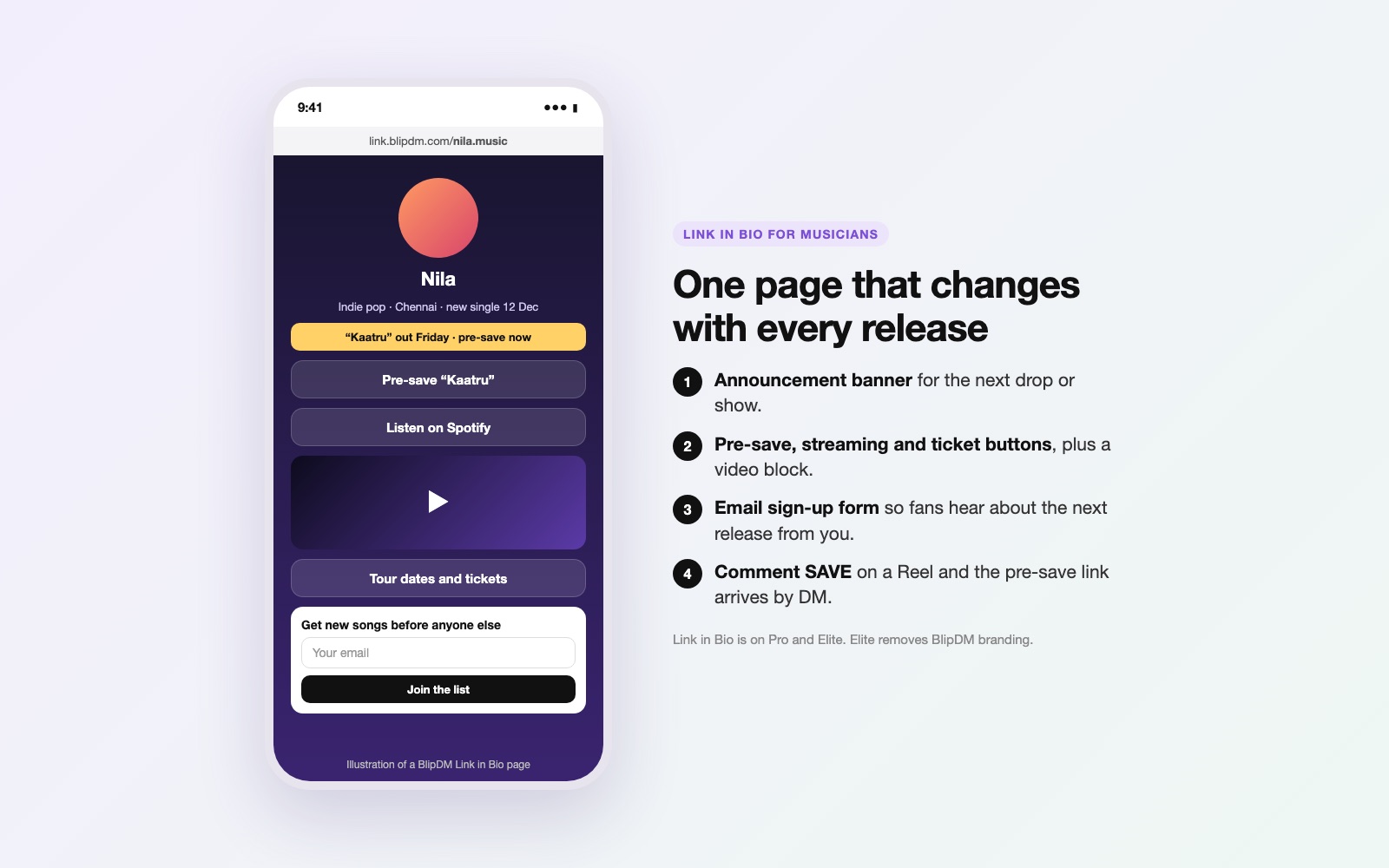
Your bio link is where people go when they don't comment. A plain home page link wastes it. On Pro and Elite, BlipDM's Link in Bio gives you a page at link.blipdm.com/yourname that works like a small shop front:
- Links and images for your bestsellers or this week's drop.
- A discount code block for first-time buyers.
- An email-collect form for restock and launch alerts.
- FAQ and testimonial blocks for delivery and returns questions.
Its analytics show page views, block clicks and social clicks. Tag each link with utm_medium=bio so your store's analytics show what the bio sold.
Mistakes online stores make with DM automation
Linking to the home page. Every extra tap loses buyers. Link to the product, the variant or a cart.
Using everyday words as keywords. "Love" or "nice" sends DMs to people who were only being friendly. Use words people type on purpose, such as PRICE, LINK or the product name.
Promising a restock DM you can't send. "We'll DM you when it's back" isn't possible weeks later. Collect an email or phone number, or announce the restock with a new keyword.
Leading with a bare URL. Start with a sentence and use a button. A lonely link reads like spam.
Not testing on mobile. Most shoppers will tap from their phone. Check the store loads fast in Instagram's browser.
For a wider view of selling on Instagram, including shops and product tags, see how to sell on Instagram. For one-to-one selling in the inbox, see sell through Instagram DMs.
Setting up store automations in BlipDM
- Connect your account. Use a business or creator account and connect through Instagram's own login screen.
- Start from a template. Pick an e-commerce template, such as a price reply, a drop or a discount code, and edit it.
- Choose the post and keyword. Pick an existing post or Reel, or use Next Post automation for one that isn't live yet (Pro and Elite).
- Write the DM. Up to 400 characters and up to three buttons, or a carousel of up to five products on Pro and Elite. Paste your product, variant or cart links with UTM tags.
- Add a public reply. "Sent you the link 📩" under the comment shows others it works.
- Add capture if you need it. For waitlists, turn on Ask for Email & Phone (Elite). Leads appear in Contacts and in analytics as "Leads captured".
- Test, then go live. Comment from a second account and tap every button.
Which plan fits:
- Free ($0): 500 DMs a month, text DMs with link buttons, unlimited automations. Fine for a small store testing the idea.
- Pro ($3 or ₹99 a month): 50,000 DMs, product carousels, Next Post automation and Link in Bio.
- Elite ($6 or ₹499 a month): unlimited DMs, AI replies, email and phone capture, follow to unlock, and Link in Bio with no branding.
Every plan covers one Instagram account with unlimited contacts. During a viral post, BlipDM sends up to 700 private replies an hour and queues the rest, oldest first. See the e-commerce brands page for ready-made store setups, or compare plans on pricing.
Frequently asked questions
Does BlipDM integrate with Shopify?
No. BlipDM has no Shopify integration and doesn't sync your catalog, stock or orders. The DM links to your store: a product page, a variant or a cart permalink. Checkout and order tracking happen in Shopify as usual.
Can I send a Shopify add-to-cart link in an Instagram DM?
Yes. Shopify's cart permalinks, in the form yourstore.myshopify.com/cart/VARIANT_ID:QUANTITY, add the item and open checkout. You can add ?discount=CODE to apply a code. Put the link on a button in the DM and test it before the post goes live.
How do I track sales from Instagram DMs?
Add UTM tags to every link you send, such as utm_source=instagram&utm_medium=dm&utm_campaign=drop, and read the results in your store's analytics or Google Analytics. BlipDM shows how many DMs went out, but it doesn't track revenue or conversions.
Can I DM customers when an item is back in stock?
Not weeks later. Instagram only allows automated messages within 24 hours of the person's last message. Collect an email or phone number when they ask, and send the restock alert by email or SMS, or announce it with a new post and comment keyword.
Can Instagram DM automation answer order status questions?
It can answer general questions, such as delivery times or return policy, with keywords or AI replies on Elite. It can't look up a specific order, because it isn't connected to your store. Those questions should go to a person.
Is Instagram DM automation allowed for online stores?
Yes, when it runs on Meta's official API and replies to people who commented, replied to a Story or messaged you. Meta allows one private reply per comment within 7 days, up to 750 an hour per account. Mass DMs and messages to new followers aren't possible.
Sources
- Shopify developer documentation, Create cart permalinks, including discount,
refandstorefrontparameters, checked 18 November 2026. - Meta for Developers, Instagram Platform private replies and messaging documentation (one private reply per comment within 7 days, 750 per hour, 24-hour messaging window).
- Meta Business Help Centre, About changes to Shops and checkout on Facebook and Instagram (website checkout).
- BlipDM pricing and product documentation for plans, carousels, AI replies, Link in Bio and reply pacing.