A link in bio for musicians is one page, linked from your Instagram bio, that sends fans to whatever matters right now: the pre-save for your next single, the song on streaming, tickets, merch and a sign-up for your email list. The best ones change with every release, so the top button is always the thing you want fans to do this week.
This article covers what to put on the page, how to order it around a release, and how to pair it with comment-to-DM, so fans who comment on a Reel get the link without leaving the post. The examples use BlipDM's Link in Bio, which comes with the DM automation on the Pro and Elite plans.
Key takeaways
- Put this week's goal first. Before release, the pre-save. On release day, the stream. Before a show, tickets.
- Keep it short. A banner, three to five buttons, one video and an email sign-up. A long list of every platform splits attention.
- Collect fan emails. Streaming and Instagram decide who sees your posts. An email list lets you tell fans about the next release yourself.
- Use the DM for Reels. Caption links aren't clickable. "Comment SAVE" sends the pre-save link straight to each fan's DMs.
- Check what gets clicked. Page views and button clicks show whether fans want the stream, the tickets or the merch.
What to put on a musician's link in bio page
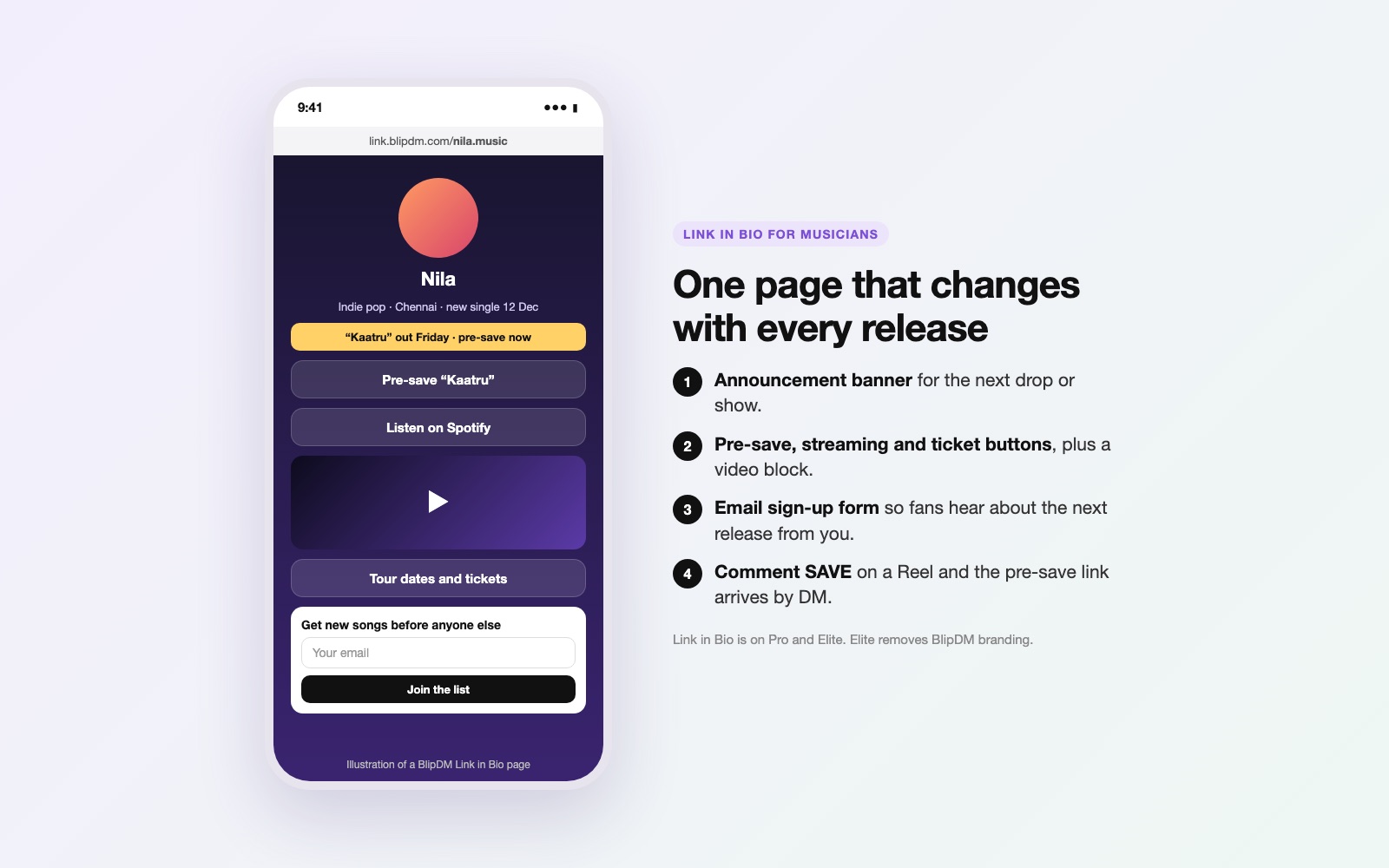
| Block | What it's for | Example |
|---|---|---|
| Profile | Photo, name and one line | "Indie pop from Chennai · new single 12 Dec" |
| Announcement banner | The one thing happening now | "Kaatru out Friday · pre-save now" |
| Pre-save or stream button | The release | "Pre-save Kaatru", then "Listen on Spotify" |
| Video | A clip, the music video or a live performance | 30-second snippet of the chorus |
| Tickets button | Next shows | "Tour dates and tickets" |
| Merch or discount code | Shop and a fan-only code | Code FAMILY10 at your store |
| Email sign-up form | Your own list of fans | "Get new songs before anyone else" |
| Social icons | YouTube, Spotify artist page, email | Small icons at the top |
| FAQs | Booking, collaborations, licensing | "For bookings, email..." |
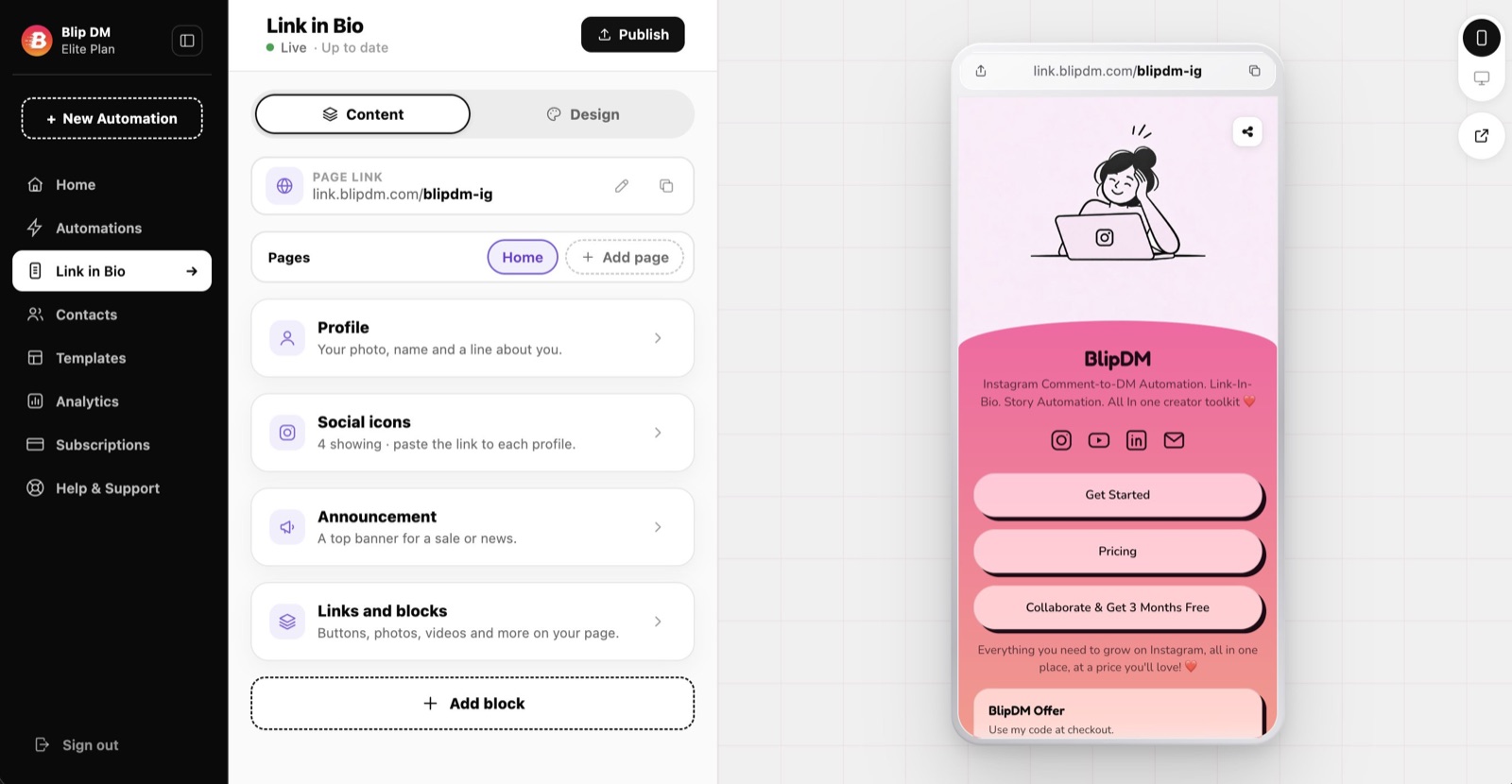
A BlipDM Link in Bio page (Pro and Elite) at link.blipdm.com/yourname has blocks for links, images, video, text, a discount code, a file download, an email sign-up form, FAQs and testimonials, plus profile, social icons and an announcement banner. You can add extra pages, for example a separate page for a tour. Elite removes BlipDM branding.
How to set up your page around a release
A link page earns its place when it changes with your release calendar. A simple plan for one single:
Three to four weeks before release: banner with the release date, the pre-save as the first button, a teaser video, and the email sign-up underneath ("Hear it first").
Release week: swap the pre-save for "Listen now", with your main streaming platform first. Keep the video. Add the lyric video or behind-the-scenes clip.
After release: move the single down, put your next show or merch drop on top, and keep the email sign-up.
Before a show: banner with the date and city, tickets as the first button, a live clip as the video.
Most pre-save links come from your distributor or a pre-save service, which gives you one link that covers Spotify, Apple Music and other platforms. Paste that link into the button. The page doesn't need to know which service you use.
Pair it with comment-to-DM for Reels
Your link in bio works when fans go looking for it. Most fans don't. They watch a Reel, like it and scroll on. Comment-to-DM catches them at that moment.
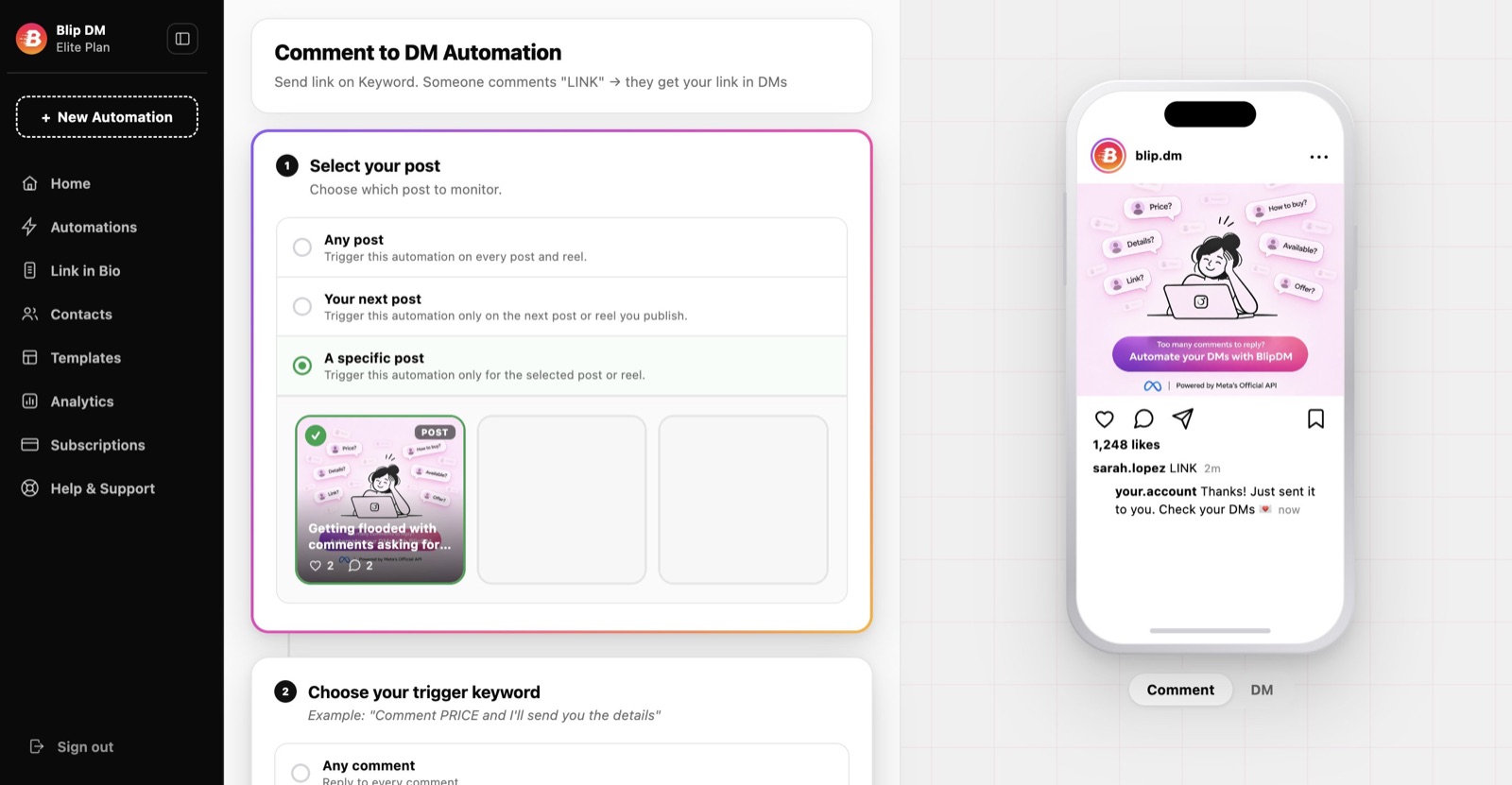
Post the chorus snippet with "Comment SAVE and I'll send you the pre-save link". A BlipDM comment-to-DM automation on that Reel sends each fan who comments SAVE a DM with the link as a button, within seconds. Add a public reply such as "Sent! Check your DMs 🎧" so others see it works.
What else the DM side can do for a musician:
- Tickets and tour dates as a carousel (Pro and Elite): up to five cards in one DM, one per city, each with its own ticket button.
- Next Post (Pro and Elite): set up the SAVE automation before you post the Reel, and it attaches the moment the Reel goes live, so the first wave of comments is answered.
- Follow to unlock (Elite): ask fans to follow before the link arrives, which turns a viral Reel into followers, not just views. Use it for free downloads, not for the pre-save itself, so nobody is blocked from your music. How follow to unlock works.
- Fan email capture (Elite): ask for an email in the DM before sending an unreleased demo, stems for a remix contest or a free download. It's checked and saved to Contacts, and you can export Contacts as a CSV for your email tool.
- Story replies: "Reply TICKETS" on a tour Story sends the ticket link to everyone who replies.
- AI replies (Elite): answer booking and collaboration DMs ("are you available for weddings?", "what's your fee for a college fest?") from the FAQs you write, and leave anything new for you. How AI replies work.
The link page and the DM do different jobs. The page is for fans who come to your profile. The DM is for fans who react to a post. More on that split in link in bio vs comment-to-DM.
Choosing a link in bio tool as a musician
Linktree, Beacons, Feature.fm, Linkfire and many others make link pages, and several have features built for music, such as smart links that open the right streaming app. Check three things when you choose:
- Does it collect emails, and can you export them? A fan list you can't take with you isn't really yours.
- Can you see clicks per button? You need to know whether people want the stream or the tickets.
- Does it work with how you get fans to it? If most of your traffic comes from Reels comments, a tool that also sends the link by DM covers both.
BlipDM's Link in Bio covers those three for an artist who's growing on Instagram, and comes with the DM automation for $3 (₹99) a month on Pro, or $6 (₹499) on Elite without branding. If you need release-specific smart links that detect each fan's streaming app, a music link service can sit inside it: put its link on your pre-save button.
Mistakes to avoid
- Twenty buttons. Fans tap the first or second option. Put the rest on a second page.
- An old release on top. If the top button is last year's single, the page looks abandoned.
- No email sign-up. It's the only part of the page you keep when platforms change.
- "Link in bio" on every Reel. It asks fans to leave the Reel, open your profile and find the button. "Comment SAVE" is one step.
- Different handles everywhere. Use the same name for your link page as your Instagram handle, so fans recognise it.
Frequently asked questions
What should a musician put in their link in bio?
Your current release (pre-save or stream), a video, tickets for your next show, merch or a discount code, and an email sign-up. Put the one thing you want fans to do this week at the top, and change it with each release.
What is the best link in bio for musicians?
The one that lets you change the top link quickly, collect fan emails you can export, and see which buttons get clicked. Linktree, Beacons and music link services all work. BlipDM's Link in Bio adds comment-to-DM, so fans who comment on a Reel get the link in their DMs too.
How do I share a pre-save link on Instagram?
Put it as the first button on your link in bio page, add it to a Story with a link sticker, and post a Reel with "Comment SAVE for the pre-save link" so a DM automation sends it to everyone who comments. Captions can't hold clickable links.
Can I put more than one link in my Instagram bio?
Yes. Instagram lets you add up to five links to your bio, but shows only the first one directly and hides the rest behind a tap. A link page gives every link a clear button, an image and a description.
Is there a free link in bio for musicians?
Several link page tools have free plans. BlipDM's Link in Bio is on its Pro plan at $3 or ₹99 a month, with DM automation included. BlipDM's Free plan covers comment-to-DM only, with 500 DMs a month.
Sources
- BlipDM pricing, llms.txt and artists and labels pages, checked 26 November 2026 (Link in Bio blocks and analytics, carousels, Next Post, follow to unlock, email capture, AI replies).
- Instagram Help Center, adding links to your profile (up to five links).