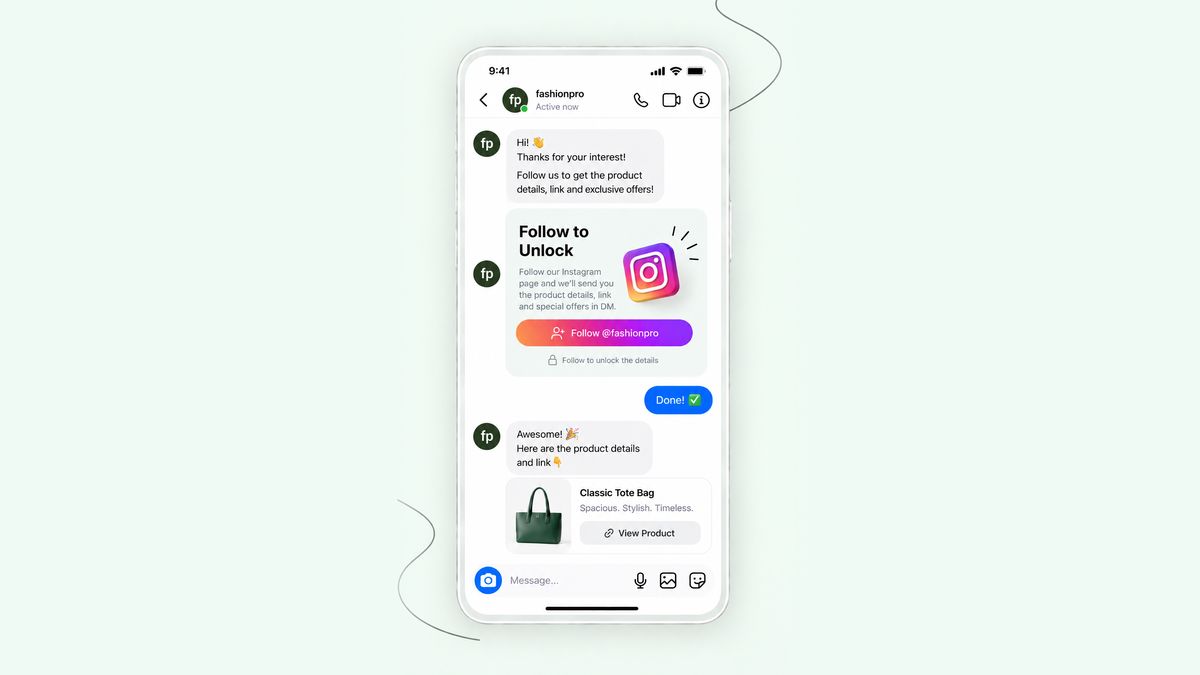
An Instagram AI auto reply reads each DM and writes the answer itself, from the FAQs and product details you give it, within Meta's rule that the person messaged you first. It suits the questions that arrive phrased a hundred ways; a keyword reply suits the ones that don't.
You post a Reel at 9 pm. By morning there are 60 DMs: "price?", "do you ship to Pune?", "is this available in black?", "how do I book?". Most of them ask the same five things, and by the time you answer, half the people have gone quiet.
That is the job AI DM agents for Instagram promise to do. They read each message, work out what the person is asking and reply in seconds, in your voice, at any hour.
This article explains what an AI DM agent actually is, what it can and can't do under Meta's rules, how to write the FAQs and product overview it learns from, when it should hand a chat to you, and how to stop it giving wrong prices or made-up answers.
Key takeaways
An AI DM agent is software that reads incoming Instagram DMs and writes replies itself, based on information you give it. A keyword bot sends the exact message you wrote when it sees a word you chose. An AI agent handles questions phrased in many different ways.
On Meta's official API, an AI agent can only reply to people who messaged you first, and only within 24 hours of their last message. It can't cold-message followers or message people who never contacted you, and for most accounts a follow alone doesn't count as contact.
An agent is only as good as what you teach it. Short, specific FAQs and a clear product overview matter far more than the tool you pick. Prices, delivery times and policies must be written down exactly, or the agent will guess.
Hand off to a human for complaints, refunds, custom orders, anything medical, legal or financial, and any question the agent can't answer from your material. On BlipDM, AI replies are live on the Elite plan ($6 or ₹499 a month), and anything it can't answer is left for you in the inbox.
What an AI DM agent is
An AI DM agent sits between your Instagram inbox and you. When a message arrives, it reads the text, compares it with what you've told it about your business, and writes a reply that answers the question.
Here's the difference from a keyword bot in practice. A keyword bot set up for the word PRICE answers "price" perfectly. It does nothing with "how much is the blue one?" or "kitna hai?" or "what does it cost to ship to Dubai?". An AI agent can answer all three, because it works from meaning rather than an exact word.
People call these tools many things: AI chatbot, AI DM assistant, AI sales agent, AI auto-reply. Under the label, check one thing: does the tool write replies itself, or does it send replies you wrote? Both are useful. They're just different. Our Instagram DM bot article compares the two approaches side by side.
What an AI DM agent can do well
AI agents are strongest at the repetitive questions that fill a small business inbox:
- Price and offers. "How much?", "any discount?", "is the sale still on?"
- Sizes, colours and stock. "Do you have it in M?", "what colours?"
- Delivery and shipping. "Do you ship to Bangalore?", "how long does it take?", "is COD available?"
- How to book or buy. "How do I book a session?", "where's the link?"
- Basic product questions. "Is it vegan?", "what's included in the course?", "is it machine washable?"
For these, a good agent answers in seconds with the same facts you'd give, and adds the right link. That speed matters. Someone who asks "price?" at 11 pm is ready to buy at 11 pm, not at 10 the next morning.
Agents also help with questions phrased in mixed language, with typos or with several questions in one message. A keyword bot would miss them or answer only one part.
What it can't do on Instagram
Some limits come from Meta, not from any tool. Every AI agent on the official Instagram API works within them.
- It can only reply. Someone has to message you, comment, reply to a Story or mention you first. Mass DMs and messaging follower lists aren't possible on the official API.
- It usually can't greet new followers. A follow alone doesn't normally open a conversation. Meta is testing follow-triggered messages with some partners for eligible creators only, and BlipDM doesn't offer it.
- It works inside the 24-hour window. After someone messages you, automated replies can go out for 24 hours from their last message. After that, only a human can reply, for up to 7 days, using the Human Agent tag.
- It needs a professional account. Your account must be a business or creator account connected through Instagram's own login. A tool that asks for your password is not on the official API.
Some limits come from the technology itself. An AI agent doesn't know anything you haven't told it. It can't see your stock levels unless you give it that information. It can't take payment, process a refund or change an order on its own. And it can be confidently wrong, which is the biggest risk and the reason the next two sections exist.
For the full set of Meta's limits, see Instagram auto DM without getting banned.
How to write the FAQs and product overview it learns from
Most AI DM tools ask for two things: a list of FAQs and an overview of what you sell. This is where you decide whether the agent helps or embarrasses you. Spend an hour on it.
Start from your real inbox
Open your DMs and comments from the last month. Write down every question you answered more than twice. The list is usually shorter than you expect. Those are your FAQs, in your customers' words, not the ones you imagine they ask.
Write one fact per answer
Keep each answer short and specific. The agent copies your precision, or your vagueness.
Vague (the agent will improvise):
"Shipping is fast and affordable!"
Specific (the agent can repeat it accurately):
"We ship across India in 3 to 5 working days. Shipping is free on orders over ₹999, otherwise ₹79. We don't ship outside India yet."
Write the product overview like a shop assistant's notes
For each product or service, include:
- The name, exactly as it appears on your site.
- The price, with currency and what's included.
- Sizes, colours or variants.
- Who it's for and who it isn't for.
- The link to buy or book.
For services, add the booking steps, session length, cancellation policy and what happens after payment.
Say what the agent must not say
Add a short list of rules. For example:
- "Never offer a discount that isn't listed here."
- "Never promise a delivery date. Give the range."
- "If someone asks about a custom order, say I'll reply personally."
- "Don't give medical advice. Suggest they speak to their doctor."
Set the voice
Two or three lines are enough: "Friendly and short. Use the person's language. One emoji at most. Always end with the link or a next step." If you already reply with a certain tone, paste two of your own replies as examples.
When to hand off to a human
An AI agent should answer the easy, repeated questions and pass the rest to you. Hand off when:
- The person is upset. Complaints, damaged orders, late deliveries. People want a human, and a breezy AI reply makes it worse.
- Money is being disputed. Refunds, double charges, cancellations.
- The request is custom. Bulk orders, collaborations, bespoke designs, brand deals.
- It's sensitive. Health, legal, financial or personal questions.
- The agent doesn't know. If the answer isn't in your FAQs or overview, it should say so and leave it for you, not guess.
A good handoff message is honest and sets an expectation:
Handoff reply:
"Thanks for the details. This one needs a personal reply, so I've flagged it for the team. You'll hear back here within a day."
Remember the 24-hour window. If the person messaged at 10 am Monday, automated replies can follow until 10 am Tuesday. After that, you can still reply yourself for up to 7 days. Check your handed-off chats at least once a day so nobody falls through.
The risks, and how to avoid them
Wrong prices or offers
The agent says ₹1,299 when the price went up to ₹1,499 last week. Or it invents a "10% off for first orders" because a customer asked and it wanted to be helpful.
Fix: keep prices in the overview only, update them when they change, and add the rule "never offer a discount that isn't listed". Test by asking for a discount yourself.
Made-up answers
Ask an AI something it doesn't know and it may answer anyway. "Yes, we ship to Singapore" when you don't.
Fix: write down what you don't do as well as what you do ("We don't ship outside India"). Tell the agent to hand off anything not covered.
The wrong tone
An agent that's too formal, too chatty or too salesy feels off-brand fast.
Fix: give it two or three of your real replies as examples, and keep the voice rules short.
Promises you can't keep
"It'll arrive tomorrow." "Your booking is confirmed." The agent can't see your courier or your calendar.
Fix: let it give ranges and links, not confirmations. Booking and payment should happen on your booking page or checkout.
Testing before you go live
Before you switch it on, send it 20 test messages from a second account: easy questions, tricky ones, questions in Hinglish, an angry complaint, a discount request, something you don't sell. Fix the FAQs wherever it stumbles. Then check real conversations daily for the first week.
Setting up AI replies in BlipDM
BlipDM's AI replies are live on the Elite plan, at $6 or ₹499 a month (10% off yearly). Elite also includes unlimited DMs and everything in Pro.
Here's how it works:
- Connect your Instagram account through Instagram's own login. BlipDM runs on Meta's official Instagram API and never sees your password.
- Add your FAQs and a product or offer overview, following the steps above.
- Turn on AI replies. BlipDM reads incoming DMs and replies on its own, in your voice, only to people who messaged you.
- Check the inbox. Anything it can't answer is left for you to reply to personally.
AI replies work alongside your other automations. A comment-to-DM automation still sends the exact message you wrote when someone comments a keyword on a Reel, and the AI handles the open questions that follow. If someone comments "LINK" and then asks "does it come in black?", both are covered. See comment to DM automation and setting up your first one.
If your questions are mostly the same three words ("price", "link", "book"), you may not need AI at all. Keyword automations on the Free plan (500 DMs a month) or Pro ($3 or ₹99) answer those exactly as written. AI earns its place when questions vary.
Comparing tools? Our roundup of the best AI Instagram DM tools and chatbots covers prices and AI features across BlipDM, ManyChat, Chatfuel, Inrō and others.
Frequently asked questions
What is an AI DM agent for Instagram?
An AI DM agent is software that reads the DMs people send to your Instagram account and writes replies on its own, using the FAQs and product information you give it. Unlike a keyword bot, it understands questions phrased in different ways. On Meta's official API it can only reply to people who messaged you first.
Is it allowed to use AI to reply to Instagram DMs?
Yes, if the tool uses Meta's official Instagram API and only replies to people who contacted you. Automated replies can be sent within 24 hours of the person's last message. Tools that log in with your password or send mass DMs to strangers break Instagram's rules.
Can an AI agent DM my new followers?
Generally not. A follow doesn't normally let any tool, AI or not, message someone. Meta is testing follow-triggered messages with some partners for eligible creators only, and BlipDM doesn't offer it. An agent can reply when a new follower comments, replies to a Story or sends you a message.
Will an AI DM agent give wrong answers?
It can, especially about prices, offers and delivery if your information is vague or out of date. Write specific FAQs, list what you don't offer, tell it never to invent discounts and test it from a second account before going live. Check real conversations daily for the first week.
When should an AI agent hand a chat to a human?
Hand off complaints, refunds, custom or bulk orders, sensitive questions and anything not covered by your FAQs. The agent should tell the person a human will reply rather than guess. After 24 hours, only a human can reply, for up to 7 days.
How much does an AI DM agent for Instagram cost?
It varies a lot. BlipDM includes AI replies in its Elite plan at $6 or ₹499 a month. Other tools put AI on plans from around $18 to $40 a month or more, some with usage-based AI credits on top, so check how AI usage is billed before you choose.
Do I still need keyword automations if I use AI?
Usually yes. Keyword automations are best for comment-to-DM campaigns where you want the exact same link or offer sent every time. AI is best for the varied questions that follow. Most accounts use both.
Sources
- Meta for Developers, Instagram Platform messaging and private replies documentation (24-hour messaging window, Human Agent tag, private reply limits).
- Meta for Developers, Instagram API with Instagram Login (professional account requirement).
- BlipDM pricing and product documentation, checked 18 November 2026.