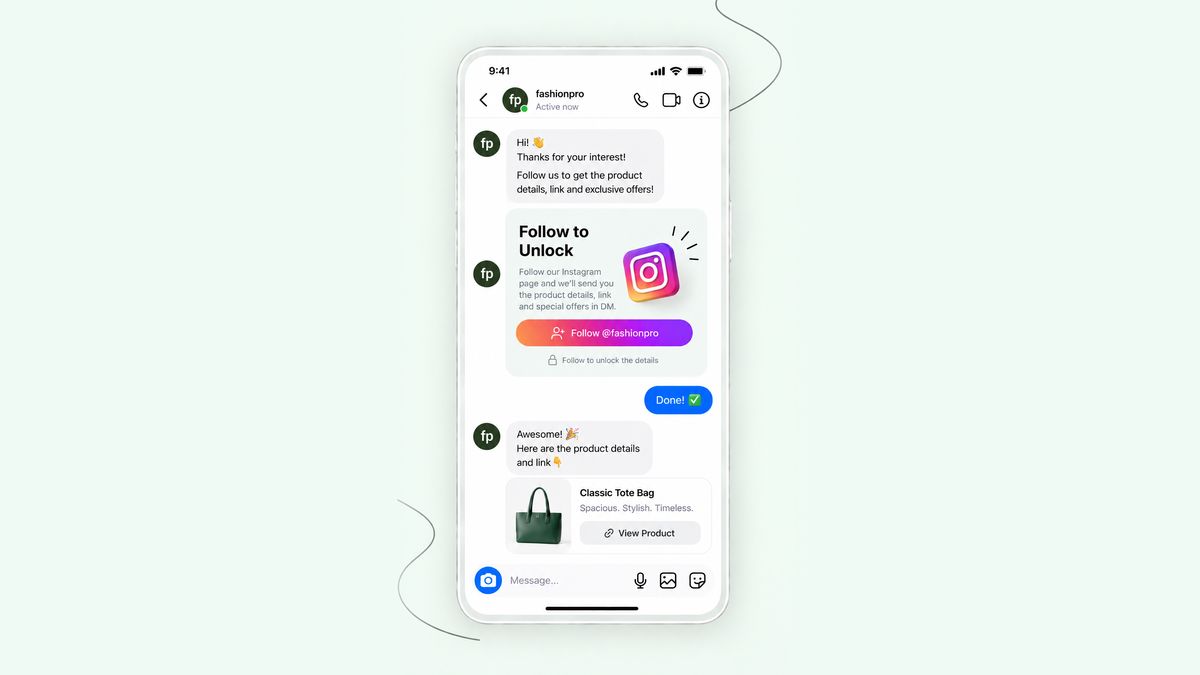
When someone replies to your Instagram Story, the reply arrives as a private DM. Nobody else watching your Story sees it. That makes story replies one of the most valuable signals on Instagram: a person chose to start a conversation with you.
This guide covers how replies and reactions work, who can see them, how to control who can reply, Story ideas that get more replies, and how to answer every reply within seconds, even when a Story gets hundreds.
Key takeaways
- Story replies are private DMs. Only you see them. Replies from people you don't follow may land in Message requests.
- Quick reactions (the emoji row) are private too. They show up in your DMs as a reaction to your Story.
- You control who can reply: everyone, people you follow, or no one. Change it in settings, or per Story from its menu.
- A story reply opens a 24-hour window in which a business can message that person, including with automation. Answer fast, while they still care.
How Instagram story replies work
A viewer can respond to your Story in five ways, and each one lands somewhere different.
A reply is typed into the Send message bar at the bottom of your Story. It arrives in your DMs with a small preview of the Story it's about, and only you can see it.
A quick reaction is one of the emojis shown above the keyboard. It also arrives in your DMs, as a reaction, and is also private.
A like is the heart on the Story. It doesn't create a message. It shows up in your Story's viewer list, which only you can see.
A sticker answer (to a poll, quiz, slider or question sticker) shows in the Story's viewer and results list. Answers to a question sticker stay private unless you choose to share one.
A Story mention is when someone tags you in their own Story. You get a DM about it, with an option to add it to your Story. Unlike the others, their own viewers can see it too.
If a viewer doesn't follow you, or your settings limit messages, their reply goes to Message requests instead of your main inbox. Check requests daily during a campaign, or many replies will go unseen.
How to control who can reply to your Story
- Go to your profile → ☰ menu → Settings and activity.
- Open Messages and story replies (on some versions it's under How others can interact with you).
- Tap Story replies and choose Everyone, People you follow, or Off.
To change it for one Story while it's live, open the Story, tap ⋯ (More) → Story settings. Instagram moves these labels around between app versions, so if a menu name differs, search "story replies" in Settings.
For businesses: leave replies on, for everyone. Turning them off removes your easiest way to get a conversation started.
Story ideas that get more replies
People reply when you ask a direct question or offer something they want. Ideas that work:
- "Reply LINK and I'll send it." People reply with a keyword because they get something right away.
- "Which one should we restock?" over two photos. A one-word answer is easy, and people like having an opinion.
- A behind-the-scenes clip with "Want the recipe?" Curiosity does the work; a "yes" or a keyword is all they need to send.
- "First 50 replies get early access." Scarcity makes people reply now rather than later.
- A countdown sticker with "Reply REMIND for the code". It gives people a reason to come back on launch day.
- "What's stopping you from trying X?" An open question works because people like being asked, and the answers tell you what to fix.
- A customer photo with "Want one like this?" Social proof plus a one-word reply.
Keep the keyword short and unusual (LINK, GUIDE, DROP), and say it in the Story text, not only in the voiceover. See how to choose a comment keyword. The same rules apply to Stories.
How to reply to story replies manually
- Reply from your DMs. Each reply shows the Story it came from, so you have context.
- Use quick replies (saved replies in Instagram's business tools) for the answer you send most, such as your price list or booking link.
- Label and filter. Professional accounts can move chats between Primary and General, and label conversations, which helps when replies pile up.
- Answer within the day. Story replies come from people who just watched you. Hours later, they've moved on.
This works for 10 replies. It breaks at 200, which is exactly when a Story did well.
How to reply to every story reply automatically
With story-reply automation, anyone who replies to your Story with your keyword gets your DM within seconds. On BlipDM:
- Connect your Instagram professional account (Meta's official login, no password shared).
- Create a Story reply automation and choose the Story, or "any Story", plus your keyword.
- Write the DM: a greeting, the link or code, and a button.
- Publish the Story with a clear "Reply LINK" call to action.
DM template: "Hey {name}! Here's the link from my Story 👇 It's 15% off until midnight with STORY15. [Shop now]"
It works because the reply opened the 24-hour messaging window. The automation answers inside it, the way Meta's rules expect. It doesn't message anyone who didn't reply. See story reply automation for how it works, and is Instagram DM automation safe? for the rules.
What to send in the DM:
- The thing you promised, in the first line.
- A button rather than a bare link. It looks cleaner and is easier to tap.
- One follow-up question ("Want the size guide too?"), so the conversation keeps going.
- For leads, ask for an email or phone number in the DM. BlipDM's Elite plan checks and saves it (lead capture).
Story replies vs comments: which to ask for?
Story replies are private, so they suit things you'd rather not say in public: quick offers, codes and follow-up questions. They signal interest to you but do less for reach. And the Story only lasts 24 hours, unless you add it to a Highlight.
Comments are public, which adds social proof, and they help a post reach more people. A post keeps collecting comments for weeks, so comments suit giveaways, free guides and evergreen links.
Many accounts use both: a Reel that says "Comment GUIDE" and a Story the same day that says "Reply GUIDE". Both send the same DM.
Frequently asked questions
Can other people see my reply to an Instagram Story?
No. A story reply is a private DM to the account that posted the Story. Other viewers can't see it. Quick emoji reactions are also only visible to the account owner.
Where do Instagram story replies go?
To the Story owner's DMs, with a small preview of the Story. If the person doesn't follow you, or your message settings limit who can message you, it lands in Message requests.
How do I stop people from replying to my Instagram Story?
Settings and activity → Messages and story replies → Story replies → choose People you follow or Off. You can also change it for a single live Story from its ⋯ menu → Story settings.
Can I automate replies to Instagram Stories?
Yes, through tools that use Meta's official Instagram API, such as BlipDM. When someone replies to your Story with your keyword, the tool sends your DM within seconds, inside the 24-hour window the reply opened.
Do story replies help my reach?
They tell Instagram that people are interested in your account, which tends to help your future Stories reach those people. The bigger benefit is the conversation itself, which can turn into a sale.
What's the difference between a story reply and a story mention?
A reply is a private message about your Story. A mention is when someone tags you in their own Story. You get a DM about it and can reshare it to yours.