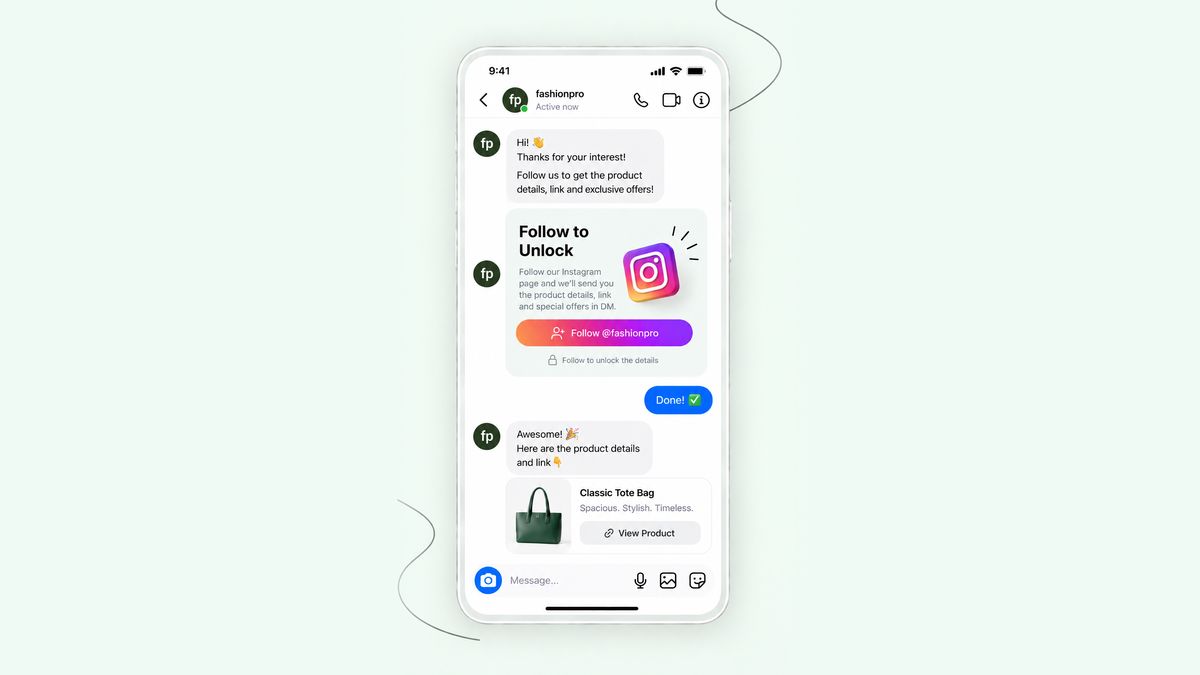
If you type the same answers in your Instagram DMs every day, quick replies will save you real time. Write a message once, give it a short shortcut, and it's ready to drop into any chat.
"Quick replies" can actually mean a few different things on Instagram, which is why instructions online often don't match what you see in the app. This article clears that up, shows how to set them up, and gives you 30 messages to copy.
Key takeaways
On Instagram, quick replies usually means saved replies: messages you write once and insert with a shortcut. They're free on Business and Creator accounts, but someone still has to send them.
Developers use the same name for tappable buttons under a message, which are only available through Meta's official API. There can be up to 13, each with a 20-character title.
If you want answers to go out without you, you need automation rather than quick replies. BlipDM sends keyword-based replies to DMs, comments and Stories, free for 500 DMs a month.
What "quick replies" means on Instagram
| Term | What it is | Is it automatic? | Who can use it |
|---|---|---|---|
| Saved replies (often called quick replies) | Text you insert with a shortcut | No, you press send | Business and Creator accounts |
| Response suggestions | Replies Instagram suggests for you to tap | No | Business and Creator accounts |
| Quick reply buttons | Tappable options shown to the customer | Sent by a tool | Tools on Meta's API |
| Frequently asked questions | Questions shown at the start of a new chat | Yes, the answer is automatic | Business and Creator accounts |
| Auto replies | Messages sent when something happens | Yes | Welcome message in the app; more through tools |
How to set up saved replies on Instagram
Menu names vary a little between Business and Creator accounts and between app versions, but the steps are roughly these:
- Open your profile and tap the menu.
- Go to Settings and activity.
- Open your business or creator tools and choose Messaging tools.
- Tap Saved reply.
- Add a new reply, type the message and choose a shortcut.
- Save it.
To use it, open any chat and type your shortcut. Instagram offers your saved message, and you tap to insert it. You can edit the text before sending.
If your account is linked to a Facebook Page, you can also use saved replies from the inbox in Meta Business Suite on a computer.
Tips for useful quick replies
- Keep shortcuts short. "price", "hours" and "ship" are easy to remember.
- Leave a gap to personalise. Starting with "Hi [name]" reminds you to add their name.
- Check them regularly. An old price or expired link is worse than no reply.
- Keep them short. Long pasted paragraphs look automated even when you sent them yourself.
- Stick to your top ten. You'll only remember a few. Look through recent DMs to find what you actually type most.
30 quick reply messages to copy
Replace anything in square brackets with your own details.
Greetings
- Hi [name]! Thanks for messaging us. How can we help today?
- Hey [name], thanks for reaching out! Give me a moment to check this for you.
- Hi! Thanks for your message. Are you looking for something specific?
Prices
- Hi [name], [product] is [price]. Would you like the link?
- Our packages start at [price]. Here's the full list: [link]
- The price is [price] including shipping within [region].
Availability and orders
- Yes, that's in stock! Which size would you like?
- Sorry, that's sold out right now. We expect more by [date]. Shall I message you when it's back?
- You can order here: [link]. Let me know if you need help.
- Please send your order number and I'll check it for you.
- Your order is on its way! You can track it here: [link]
Shipping and returns
- We ship across [region] in [days] days. Shipping is [price], or free over [amount].
- Yes, we ship to [country]. It usually takes [days] days.
- You can return items within [days] days. Here's how: [link]
Bookings
- You can book here: [link]. Pick any time that suits you.
- We have [day] at [time] or [day] at [time] free. Which suits you?
- You're booked for [day] at [time]. See you then!
- No problem, let's move it. What time works better?
Business details
- We're open [days], [time] to [time].
- You'll find us here: [map link]
- The best number to reach us on is [number].
Creators
- Thanks so much for the kind words! It really means a lot.
- All my links are here: [link]
- For collaborations, please email [address] with your brief and timeline.
- That's an affiliate link, so I may earn a small commission if you buy, at no cost to you.
Follow-ups
- Hi [name], just checking in. Did you get a chance to look at this?
- Thanks for your order! Let me know how you like it.
- Sorry for the slow reply. Thanks for waiting!
Closing
- Happy to help! Message us anytime.
- Sorry, we can't help with that, but [business or link] should be able to.
Quick replies vs auto replies
Quick replies save typing. Auto replies save you from being there at all.
| Quick replies | Auto replies | |
|---|---|---|
| Who sends | You | Automation |
| When | Whenever you open the chat | Within seconds, at any hour |
| Replies to comments | No | Yes, with a tool |
| Link buttons | No | Yes, with a tool |
| Good for | Personal conversations | Repeat questions and high volume |
| Cost | Free | Free to start with BlipDM |
Most accounts do best with both: automation for the first answer, and saved replies for the personal conversations that follow. See Instagram auto reply for how to set that up.
How to turn quick replies into automatic answers
If you find yourself sending the same saved reply many times a day, it's a good candidate for automation.
- Pick your most-used reply, such as your price list.
- Choose a keyword, such as PRICE.
- Create a DM Autoresponder in BlipDM, set the keyword and paste your message.
- Add a link button so people can tap instead of copying a URL.
- Test it from a second account.
Now anyone who sends "price" gets the answer in seconds. It can also work from comments and Story replies, which saved replies can't reach.
What about tappable quick reply buttons?
These are the small options that appear above the keyboard in a chat, such as "Yes", "No" or "Size M". According to Meta's documentation, they work like this:
- Up to 13 options, each showing up to 20 characters
- Plain text only: Instagram disables the phone and email options that exist on other Meta platforms
- Tapping one sends its title as a message from the customer
- They disappear once tapped
- They aren't available on desktop
To be clear about BlipDM: it doesn't send tappable quick reply buttons today. It sends link buttons, up to three per message, which open a page. If you need multi-step menus with quick reply buttons, flow-based tools such as ManyChat include them.
Frequently asked questions
What are quick replies on Instagram?
They usually mean saved replies: messages you write once and insert into a chat with a shortcut. Developers also use the term for tappable buttons shown under a message, which are sent through Meta's API.
How do I set up quick replies on Instagram?
On a Business or Creator account, go to Settings and activity, open your business or creator tools, choose Messaging tools, then Saved reply. Write the message, add a shortcut and save. Type the shortcut in a chat to use it.
Why can't I find quick replies on Instagram?
Saved replies are only on professional accounts, so a personal account won't have them. Switching to a Business or Creator account is free. The feature may also be named Saved reply rather than quick replies in your version of the app.
Are Instagram quick replies automatic?
No. You still open the chat and send the message. For answers that go out by themselves, use the welcome message and FAQs in the app, or an automation tool for keywords, comments and Stories.
How many quick replies can I have on Instagram?
Instagram's documentation we could read doesn't state a limit for saved replies in the app. For tappable quick reply buttons, Meta's API allows up to 13 on a message, each showing up to 20 characters.
Can quick replies include links?
You can paste a URL in a saved reply. To send a tappable link button, use an automation tool. BlipDM allows up to three link buttons per message.
What's the difference between quick replies and FAQs on Instagram?
Saved replies are for you: shortcuts you use while typing. FAQs are for customers: questions they can tap when they start a chat, each with an automatic answer.
Do quick replies work on desktop?
Saved replies are available through Meta Business Suite's inbox on desktop if your account is linked to a Facebook Page. Tappable quick reply buttons aren't available on desktop, according to Meta's documentation.