Instagram shipped a lot in 2026: a disappearing-photo feature, a Reposts tab, a separate editing app that now runs on desktop, Trial Reels you can schedule, and tests of 90-minute videos and Reel "series". This page explains each one in plain English: what it is, who has it, how to use it, and whether it matters for a creator or a business.
We'll keep this page updated as features roll out more widely. Last checked: 12 November 2026.
Key takeaways
- Instants (May 2026): disappearing, unedited photos sent to close friends or mutual followers from your DMs. Personal, not a marketing channel.
- Reposts: share public Reels and posts to your followers, with a Reposts tab on your profile. Great for sharing customer posts. But accounts that mostly repost others' content are no longer recommended.
- Edits: Meta's free video editing app, now with analytics and a desktop version for Mac.
- Trial Reels: test a Reel on non-followers first. Since April 2026 you can schedule them.
- In testing: Series (grouped Reels on your profile), 90-minute videos and profile interest topics.
The features at a glance
Worth using now:
- Reposts have rolled out. Use them to reshare customer posts and collabs.
- Edits is live on mobile and now on Mac. It makes Reels faster and adds per-Reel insights.
- Trial Reels are live for many accounts with 1,000+ followers, and can be scheduled since April 2026. They let you test hooks without touching your feed.
Nice to know, less useful for business:
- Instants launched in May 2026 and availability varies by country. They're personal by design.
- The Friends tab and Map have rolled out in many countries. They help a little with local discovery.
Still being tested:
- Series looks promising for tutorials and courses.
- 90-minute videos are too early to plan around.
Rolling out: creator AI replies answer DMs for a creator, but not comments (more on this below).
Instants
What it is: a camera in the bottom-right corner of your DM inbox. You snap an unedited photo and send it to Close Friends or mutual followers. It disappears once viewed and can't be seen after 24 hours, according to Meta. There's also a separate Instants app in some countries.
How to use it: open DMs → tap the small photo stack → shoot. Captions are added before you take the photo, and there's no editing afterward.
For creators and brands: Instants is built for friends, not audiences. Don't plan campaigns around it. If you run a small personal brand, it can be a way to share casual behind-the-scenes moments with close friends.
Reposts
What it is: a repost button on public Reels and feed posts. Reposts are shown to your followers and kept in a Reposts tab on your profile. You can add a note. People can hide their reposts and likes from followers, and you can remove someone's repost of your post.
For brands: repost customer photos (with permission), press features and creator reviews. Reposts are good social proof, and your Reposts tab becomes a quick wall of it.
Edits
What it is: Meta's free video creation app, separate from Instagram. It has a timeline editor, effects, captions, green screen and templates. In 2026 it added per-Reel analytics, comment summaries, idea suggestions, storyboards and a tool to compare up to four Reels side by side. In November 2026 Meta released Edits for macOS.
How to use it: download "Edits, an Instagram app" from the App Store or Play Store and log in with Instagram. Export straight to Reels.
For creators and brands: if you edit Reels in CapCut or another app, Edits is worth a try. It's free, has no watermark, and the insights help you see which hooks keep people watching.
Trial Reels
What it is: a toggle when you share a Reel that shows it to non-followers first. After about a day you see how it performed and can choose to share it with your followers. Instagram says Trial Reels have lifted reach among non-followers, and in April 2026 it added scheduling.
Who has it: guides consistently mention public professional accounts with 1,000+ followers. Look for the Trial toggle on the final screen when you share a Reel.
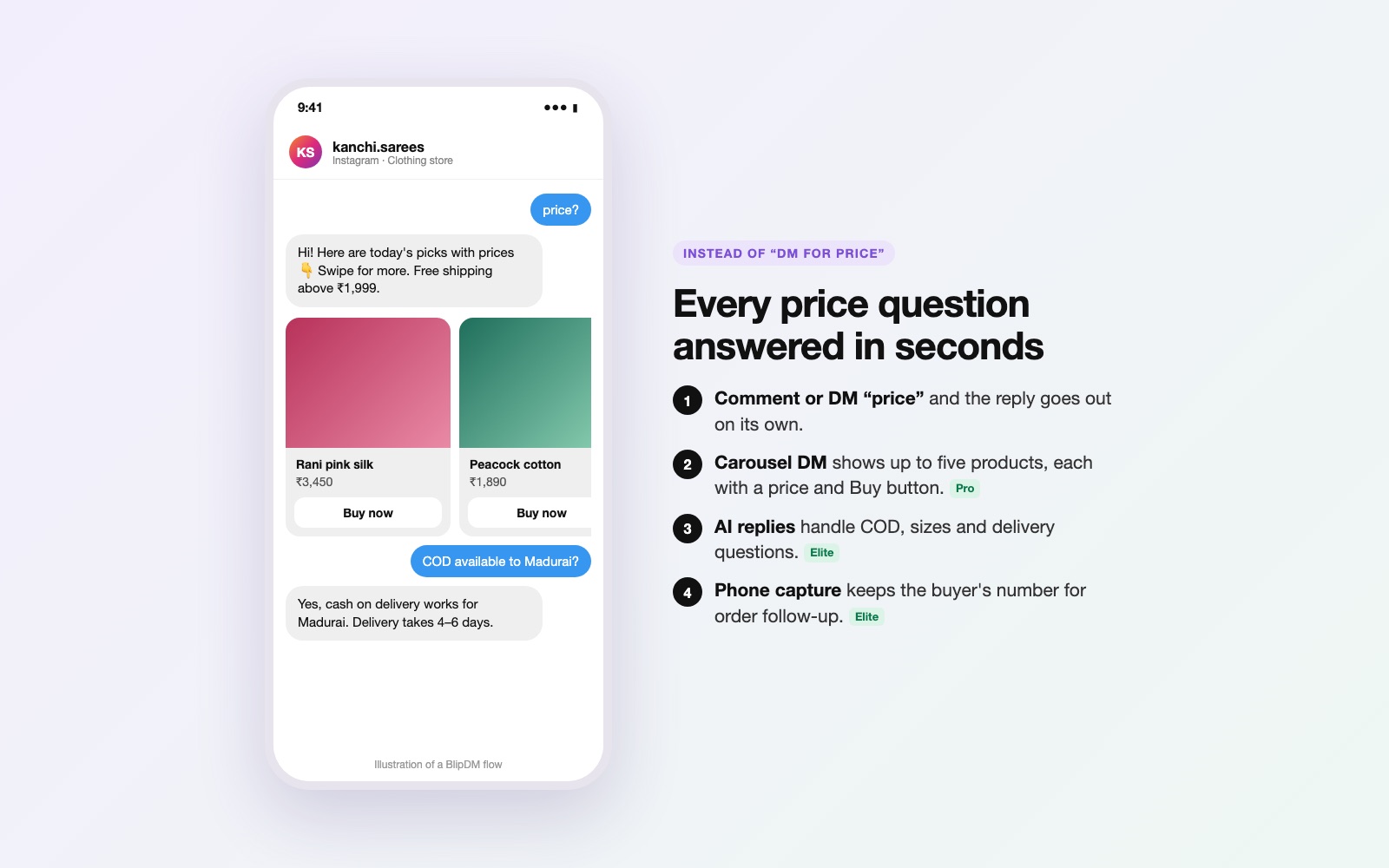
How to use it for business: test two hooks for the same offer as two Trial Reels, then share the winner with your followers. If the Reel asks people to comment a keyword, comment-to-DM automation answers non-followers too, which is how a test Reel can bring you new contacts.
Friends tab and Map
What it is: a Friends tab in Reels shows Reels your friends liked or commented on (people can hide their activity). Instagram Map lets you share your location with friends you choose, and see location-tagged posts.
For local businesses: location tags on your posts matter more when people browse a map. Tag your shop location on every post.
Series (testing)
What it is: a test that lets creators group related Reels, like "Part 1, 2, 3" or a course, into one hub on their profile.
Why it matters: tutorial and education accounts lose viewers between parts today. Series would keep them in order. Not available to most accounts yet.
90-minute videos (testing)
Instagram is testing uploads of up to 90 minutes, a move toward YouTube-style long video. No monetisation details have been announced. Keep making short Reels, and watch this one.
Creator AI replies in DMs
Meta lets creators build an AI in Meta AI Studio that answers DMs and Story replies using their own content, labelled as AI. Two things to know:
- It answers DMs, not comments. It doesn't trigger when someone comments a keyword under a post.
- It replies with what it thinks is right, not with the exact link, code or price you choose.
If your goal is "everyone who comments PRICE gets my price list", that's still a job for comment-to-DM automation and Instagram auto reply, which send your exact message every time.
What to do this month
- Try Trial Reels on your next two Reels with different hooks.
- Repost three customer posts (with permission) to start your Reposts tab.
- Edit one Reel in Edits and check its retention graph.
- Add a keyword call to action to your best-performing Reel so new viewers can get your link by DM.
- Ignore Instants for marketing. It's for friends.
Frequently asked questions
What are Instagram Instants?
Instants are unedited photos you send to Close Friends or mutual followers from your DM inbox. They disappear once viewed and can't be viewed after 24 hours. Meta launched them in May 2026.
How do I repost on Instagram?
On a public Reel or feed post, tap the repost icon, add an optional note and share. It's shown to your followers and saved in the Reposts tab on your profile.
Is Instagram Edits free?
Yes. Edits is a free app from Meta for creating and editing videos, with no watermark. It's on iPhone, Android and, since November 2026, Mac.
Who can use Trial Reels?
Most guides say public professional accounts with at least 1,000 followers. If you qualify, you'll see a Trial toggle on the final screen when sharing a Reel.
Will reposting hurt my Instagram reach?
Occasional reposts, no. But since April 2026 Instagram stops recommending accounts that mostly repost other people's content without adding anything, so build your profile mainly on original posts.
Does Meta AI reply to Instagram comments?
No. The creator AI built in Meta AI Studio answers DMs and Story replies. Replying to a keyword in a comment with a DM needs a comment-to-DM automation tool.