An Instagram collab post is a single post or Reel that appears on two or more profiles at once. Both audiences see it, and the likes, comments and views are shared. It's one of the few ways to reach another account's followers without paying for ads.
This guide covers how to create a collab, the limits, how to add someone after posting, what happens to comments and ownership, and collab ideas for brands and creators. It also covers one thing most guides skip: how to follow up with all the new people who comment.
Key takeaways
- Invite collaborators when you create the post or Reel: Tag people → Invite collaborator.
- Most current guides put the limit at five invited collaborators (six accounts including yours). Instagram changes this from time to time, so the app shows your actual limit.
- Adding a collaborator after posting now works for many accounts: ⋯ → Edit → Tag people → Invite collaborator. If you don't see it, update the app.
- The post belongs to the account that published it. Only that account can delete it or change collaborators. A collaborator can only remove themselves.
How to make a collab post on Instagram
- Create a post or Reel as usual, up to the final screen.
- Tap Tag people.
- Tap Invite collaborator, search for the account and select it.
- Repeat for more collaborators, then tap Done and Share.
- Each collaborator gets an invitation. The post appears on their profile once they accept.
Add a collaborator after posting
- Open the post, tap ⋯ → Edit.
- Tap Tag people → Invite collaborator.
- Choose the account, then tap Done.
If Edit shows Tag people but not Invite collaborator, update Instagram. Some accounts get features later than others.
Collab post rules and limits
How many collaborators? Most current guides say up to five invited accounts, six including yours. Instagram has changed this before, so check the app.
Which formats? Feed posts, carousels and Reels. Stories can't be collabs.
Who controls it? Only the account that published the post can delete it. A collaborator can remove themselves, and the post stays on your profile.
Are the numbers shared? Yes. Likes, comments, views and shares show the same on every collaborator's profile.
Can I do it on desktop? No. Inviting collaborators is done in the mobile app.
Was anyone paid? If money or free products changed hands, add the Paid partnership label too.
Collab ideas for brands and creators
For brands
- A joint giveaway with a brand that has the same customers. A candle shop and a ceramics studio give away a "cosy night" bundle together.
- A creator review. A skincare creator tests your serum for two weeks and posts the result on both profiles.
- A bundle launch. A café and a bakery launch a festive hamper they made together.
- A local roundup with three to five nearby shops. "Small Business Saturday on our street."
- Expert tips with a pro in a related field. A gym and a nutritionist post "What to eat after leg day".
- A customer story. A happy customer with their own audience shares their before-and-after, posted on both profiles.
For creators
- Duet-style Reels: two creators reacting to the same trend.
- "We swapped routines for a week": made for two audiences who want to compare.
- Teach-and-try: one shows the skill, the other tries it.
- Event recaps: shared from a meetup, wedding or launch you both attended.
- Myth vs fact: two experts in one Reel.
Getting the most out of a collab
- Pick partners whose audience matches, not just whose follower count is big. A 5,000-follower account in your niche beats a 100,000-follower general one.
- Post when both audiences are online. Check both accounts' Insights for the best time.
- Write a caption that introduces both sides. "We teamed up with @partner because…"
- Both accounts share it to Stories on the day it goes live.
- Reply to comments from both accounts in the first hour. Early comments help a post spread.
- Give the new audience a next step, which is where most collabs stop short.
Follow up with everyone who comments on a collab
A good collab brings hundreds of comments from people who've never seen your account. A day later, most of them have forgotten you.
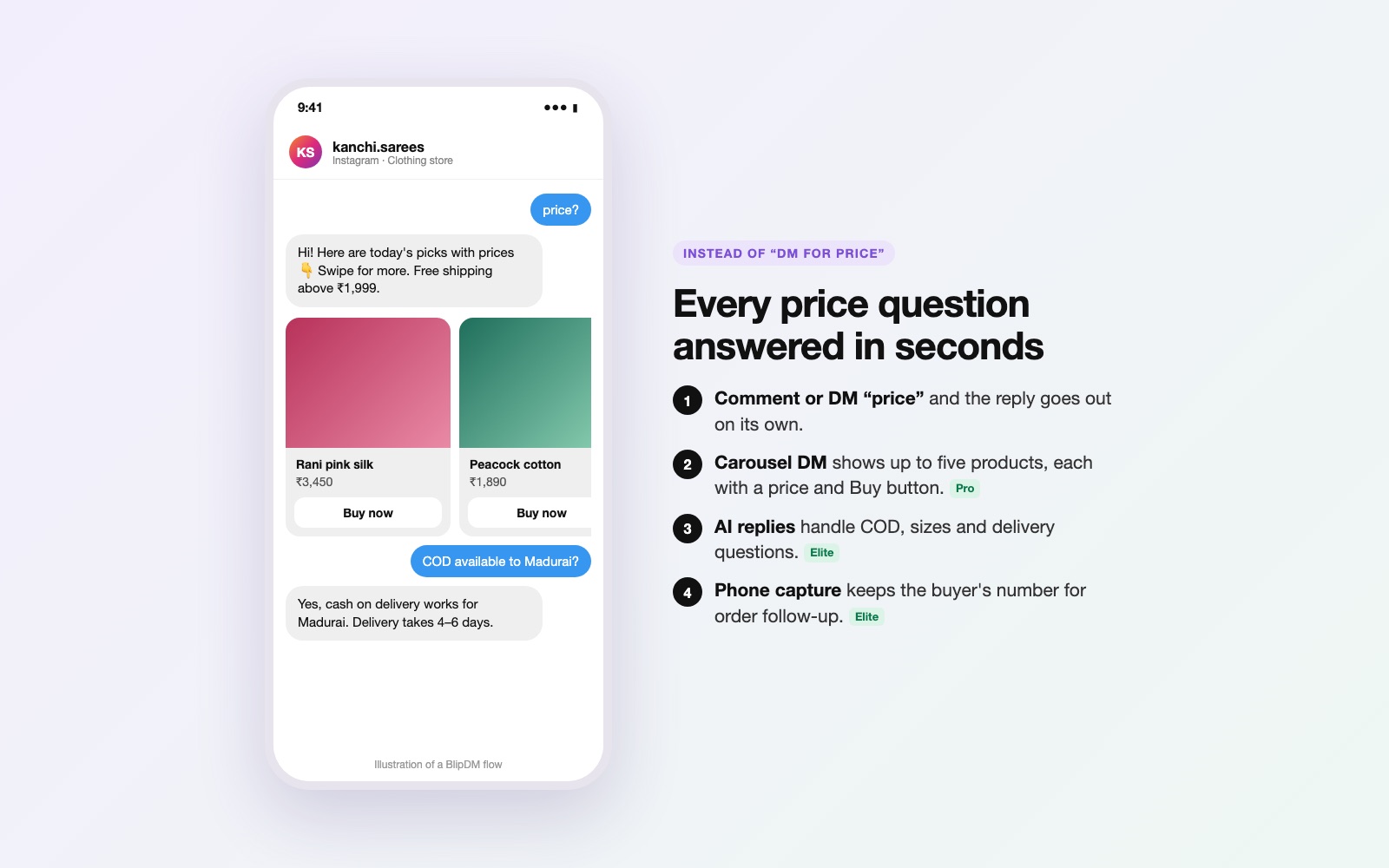
Ask for a keyword in the caption, like "Comment BUNDLE for the link", and use comment-to-DM automation so each person gets the link in their DMs within seconds. Everyone who comments becomes a contact, not just a number.
Which account runs the automation? Set it up on the account that published the collab. Comments live on that original post, and that's the account Instagram notifies about new comments. If both brands want the leads, agree up front that the publisher shares them, or alternate who publishes.
DM template: "Thanks for checking out our collab with @partner 💛 Here's the bundle: [Shop now]. It's 10% off with COLLAB10 until Sunday."
Frequently asked questions
How do you collab on Instagram?
While creating a post or Reel, tap Tag people → Invite collaborator, choose the account and share. The post appears on their profile once they accept the invitation.
How many people can you collab with on Instagram?
Most current guides say up to five invited collaborators, six accounts including yours. Instagram has changed this limit before, so the app shows your actual limit.
Can you add a collaborator after posting on Instagram?
For many accounts, yes: open the post, tap ⋯ → Edit → Tag people → Invite collaborator. If the option doesn't appear, update the app. The feature reaches accounts in stages.
Why is the Instagram collab option not showing?
Usually an out-of-date app, or the account you're inviting has restricted who can tag or mention them. Private accounts can also limit collabs. Update the app and check the other account's tag and mention settings.
Can you collab on an Instagram Story?
No. Collabs work on feed posts, carousels and Reels. On Stories you can mention accounts, and they can reshare your Story to theirs.
Who owns an Instagram collab post?
The account that published it. Only that account can delete it, edit it or change collaborators. A collaborator can remove themselves, and the post stays on the publisher's profile.
Do collab posts get more reach?
They're shown to both accounts' followers, so a collab usually reaches more people than either account would alone. How far it goes after that depends on how people engage, like any other post.