You've typed "Hi! Yes, it's available, here's the link" so many times your thumbs know it by heart. Then a reel takes off, 200 people comment "price", and suddenly the same message is a full afternoon's work.
Good DM templates fix two things at once. They save you typing, and they make every reply as clear as your best one. Written well, they also work as automated messages, so the reply goes out in seconds even when you're asleep.
Below are 40 short Instagram DM templates grouped by goal, each under 400 characters so they fit an automated DM in BlipDM. There's also a short section on how to write your own and which ones to automate.
Key takeaways
The best DM templates are short, answer the question in the first line and end with one clear next step, usually a link button. Two to four sentences is plenty. Long paragraphs read like a sales letter.
Use square brackets for the parts you change every time: [name], [product], [price], [link]. Keep a "voice" consistent with your captions, so the DM sounds like you and not a bot.
Templates you send more than a few times a day are worth automating. On Instagram, automation can only reply to people who commented, replied to a Story or messaged you first, and you have 24 hours after their last message to follow up.
How to use these templates
Replace everything in square brackets. Where a template says "tap below", add a link button with a clear label such as "Shop now", "Get the guide" or "Book a call". A button gets more taps than a pasted URL, and BlipDM allows up to three per message.
If you're looking for short shortcut replies for your inbox (greetings, opening hours, shipping times), our list of Instagram quick replies covers those. The templates here are longer, goal-driven messages: the ones that sell, collect leads and bring people back.
Sales replies
These answer "price?", "available?" and "how do I buy?" from comments and DMs.
1. Price in a comment
Hey [name]! The [product] is [price] and ships in [days] days. Tap below to see sizes and colours 👇
2. Price with a reason to buy now
Thanks for asking! It's [price], and this week only you get [offer] with code [CODE] at checkout. Link below.
3. "Is it still available?"
Yes, we still have a few left! Tap below to grab yours before this batch sells out.
4. Choosing between two options
Great question. [Option A] is best if you want [benefit]. [Option B] suits [type of person] better. Want me to send both links?
5. Bundle offer
If you liked [product], most people pair it with [product 2]. Together they're [price], saving you [amount]. Bundle link below.
6. Made to order
Every piece is made to order, so it takes [days] days to reach you. Share your size and colour here and I'll confirm the price.
Sending links
People asked for a link. Give it to them with one line of context so it doesn't look like spam.
7. Link from a reel
Here's the link from the reel 👇 Everything I used is in one place, so you don't have to hunt for it.
8. Affiliate link with disclosure
Here's the one I use! It's an affiliate link, so I may earn a small commission at no extra cost to you.
9. Several links at once
You asked for the full list, so here it is: the [item 1], [item 2] and [item 3]. Tap whichever you need below.
10. Recipe or tutorial
Here's the full recipe with measurements 🍝 Save it so it's ready for the weekend.
Read how to send links in Instagram DMs to make sure your links work in every chat.
Lead magnets
The first message after someone comments for a free resource.
11. Free guide
Here's your free [guide name]! Start with page [number]. That's the part most people find useful first.
12. Free plan with a quick win
Your [7-day plan] is below 💪 Day 1 takes 15 minutes. Tell me when you've done it!
13. Checklist
Here's the checklist you asked for ✅ Tick off the first three today and you'll already be ahead of most.
14. Free class or webinar
You're in! The free class is on [day] at [time]. Tap below for the joining link and add it to your calendar.
On BlipDM's Pro and Elite plans you can attach the PDF itself instead of a link. See how to send a PDF or ebook in Instagram DMs.
Follow-to-unlock asks
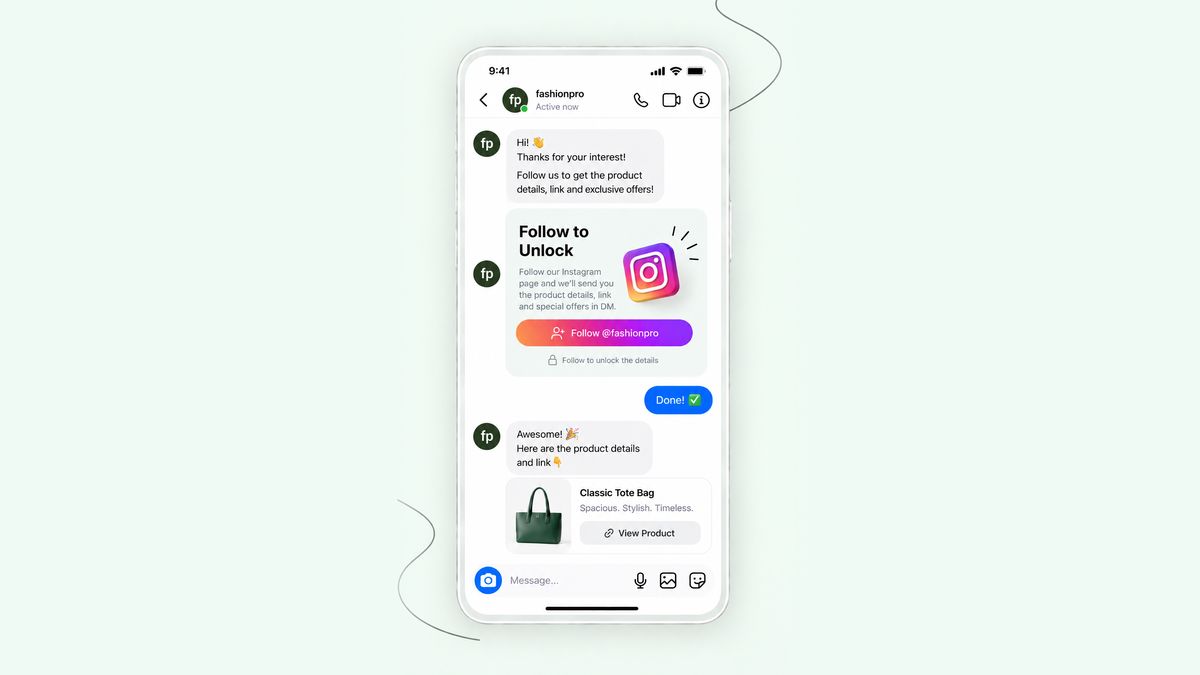
For Elite users with Ask to Follow turned on. The first message asks for a follow, with a button such as "Followed". If the person taps without following, BlipDM sends a friendly nudge.
15. Simple follow ask
Almost there! Follow [@handle] and tap "Followed" below, and I'll send the [resource] straight away.
16. Follow ask with a reason
I share a new [recipe / workout / tip] every week. Follow so you don't miss them, then tap below for your free [resource].
17. Giveaway entry
To enter, make sure you're following [@handle], then tap below. I'll confirm your entry right here.
18. Delivery after the follow
Thanks for following! 🙌 Here's the [resource] you asked for.
Keep the ask light. A follow request in exchange for something useful feels fair; a demand before you've given anything doesn't. Our follow to unlock overview shows how the check works.
Collecting emails and phone numbers
For Elite users with Ask for Email & Phone. Always say why you need it.
19. Email for a bonus
Want the bonus [workbook] too? Send me your best email and I'll send it over, plus new [tips] each week.
20. Email before a waitlist
We're launching [product] on [date]. Reply with your email and you'll get first access before it goes public.
21. Phone for an update
Drop your WhatsApp number and I'll message you the moment [product] is back in stock. No spam, just that one update.
22. Thank you after capture
Got it, thanks! Here's your [resource]. Check your inbox (and spam folder) for the bonus.
Booking calls and appointments
For coaches, consultants, salons, clinics and service businesses.
23. Discovery call invite
If you'd like help with [problem], I run free 20-minute calls for [who it's for]. Tap below to pick a time that suits you.
24. Qualify before booking
Happy to help! Quick question first: are you looking for [option 1] or [option 2]? Then I'll send the right booking link.
25. Consultation for a service
Our [service] starts at [price]. The first consultation is free and takes [minutes] minutes. Book a slot below.
26. Limited spots
I only take [number] new clients a month and have [number] spots left for [month]. Tap below to apply.
Coaches can see a full funnel built on these in Instagram DM automation for coaches.
Order and support answers
Clear answers to the messages that arrive after someone buys.
27. Delayed order
Sorry for the wait, [name]. Your order [number] is delayed by [days] days because of [reason]. I'll message you as soon as it ships.
28. Wrong size or exchange
No problem, we'll swap it. Send a photo of the item and the size you'd like, and I'll set up the exchange today.
29. Damaged item
I'm really sorry it arrived like that. Please send a photo and your order number, and we'll send a replacement or a full refund.
30. Payment failed
It looks like the payment didn't go through. You can try again here, or pay by [UPI / card / COD]. Your cart is saved.
31. Handing over to a person
Thanks for the details! A member of the team will reply here within [hours] hours on [days].
Collaborations
For creators and brands handling collab requests.
32. Replying to a brand
Thanks for reaching out! I'd love to hear more. Could you share the product, timeline and budget? My media kit is below.
33. Inviting a creator (send this one by hand)
Hi [name], we love your [type] content and think our [product] fits your audience. Would you be open to a paid collab?
34. Gifting offer
We'd love to send you our [product] to try, with no obligation to post. Can I get your shipping details?
Follow-ups within 24 hours
Once someone replies, you can message them for 24 hours after their last message. Use one follow-up, not five.
35. Nudge after a link
Did the link work for you? If you have any questions about [size / fit / delivery], ask away and I'll help.
36. After a free resource
Did you get a chance to look at the [guide]? Tell me which part was most useful and I'll send something similar.
37. Cart reminder in an open chat
Just checking: still thinking about the [product]? Happy to answer anything before you order.
Re-engagement
Instagram's rules don't allow automated messages to people who haven't been in touch for more than 24 hours, so these are for when someone comes back: a new comment, a Story reply or a new DM. A person on your team can also reply for up to 7 days with the Human Agent tag.
38. Returning customer
Welcome back, [name]! Good to see you again. Since your last order we've added [new product]. Want the link?
39. Back in stock
It's back! You asked about [product] earlier, and it's in stock again. Tap below before it sells out.
40. New launch
Thanks for replying to the Story! The new [collection / programme] is live now. Here's an early look 👇
How to write your own templates
- Answer first. Put the price, the link or the yes in the first sentence.
- One next step. Pick one action: buy, book, download or reply.
- Stay short. Two to four sentences. BlipDM messages are limited to 400 characters, which is a good discipline anyway.
- Use a button. "Shop now" or "Book a call" beats a raw URL.
- Sound like a person. Use contractions and the words from your captions. One emoji is enough.
- Avoid trigger words for spam. "Guaranteed", "100% free money" and all caps make messages look like spam.
- Check it on a phone. Read the message on the small screen before you save it.
Which templates to automate
Automate a template when you send it more than a few times a day and the answer is the same for everyone. Sales replies, links, lead magnets, follow asks and email asks are ideal. Support and collab messages usually need a person.
Setting templates up in BlipDM
- Connect your account. Sign up and connect your Business or Creator account on Instagram's login screen.
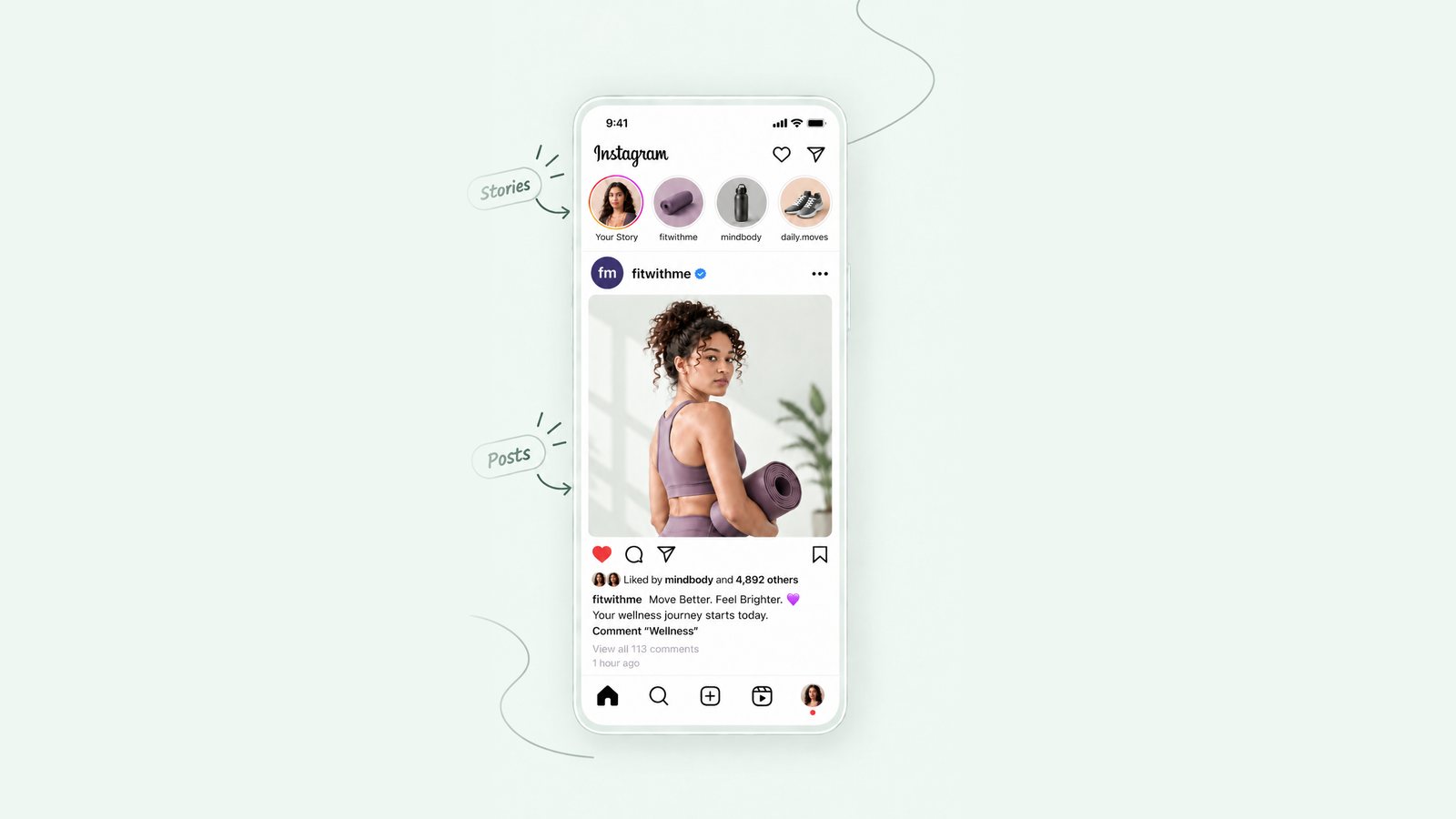
- Pick a trigger. A comment keyword on a post or reel, a Story reply, a DM keyword, or Next Post automation (Pro and Elite) for a post you haven't published.
- Paste the template. Replace the brackets, add up to three link buttons, and attach a PDF or send a carousel of up to five cards on Pro and Elite.
- Add a step if you need it. Ask to Follow or Ask for Email & Phone on Elite.
- Test and activate. Comment from a second account to check it.
For questions that vary, such as "do you have this in blue?" or "how does the programme work?", AI replies on Elite answer from your FAQs and offer overview, in your voice, and leave anything they can't answer for you in the inbox.
The Free plan covers 500 DMs a month. Pro is $3 (₹99) and Elite $6 (₹499) a month; see pricing.
Frequently asked questions
What is a good DM template for Instagram?
A good template answers the question in the first line, adds one useful detail and ends with a clear next step, such as a link button. Keep it to two to four sentences and write it the way you speak in your captions.
How do I save DM templates on Instagram?
On a Business or Creator account, use saved replies: go to Settings and activity, open your business or creator tools, choose Messaging tools, then Saved reply. To send templates automatically, use a DM automation tool on Meta's official API.
Can I send DM templates automatically on Instagram?
Yes, as replies. Automation tools can send a template when someone comments a keyword, replies to your Story or messages you. Instagram doesn't allow automated messages to people who haven't engaged with you first.
How long should an Instagram DM be?
Short. Two to four sentences works best, and most automation tools cap the length. BlipDM allows up to 400 characters of text plus up to three link buttons per message.
Can I message someone again after 24 hours on Instagram?
Automated messages can only go out within 24 hours of the person's last message. A person on your team can reply for up to 7 days using the Human Agent tag. After that, wait for them to comment, reply to a Story or message you again.
Should I use emojis in Instagram DMs?
One or two can make a message feel friendly, especially to point at a button. Too many make it look like spam and are harder to read. Match how you write in your captions.
Sources
- Meta for Developers, Instagram Platform messaging documentation (24-hour messaging window, Human Agent tag, private replies to comments).
- Instagram Help Centre, saved replies in messaging tools for professional accounts, as described in our Instagram quick replies article.
- BlipDM pricing and product limits (400-character messages, three link buttons, five carousel cards), checked 18 November 2026.